Hubspot vs. Lightfield

Agents can only work from data they can trust. HubSpot was built for people to type into, so its records hold whatever a rep had time to enter after the call. Lightfield builds records from what your customers actually said, structured so agents can reason from them.
The problem with legacy CRM
When an agent gives you a confident wrong answer, the model is rarely the problem. The problem is what the model was fed.
Legacy CRM, HubSpot included, was designed as a place for people to type. That produces three failures agents cannot work around. Records are inaccurate, because a field holds what a rep typed after the call, not what happened on it. Records are contradictory, because the CRM says commit, the call recorder says pushing, the email says something else, and nothing settles which is true. Records are illegible to agents, because nothing connects what was said to who said it, when, and which deal it moved.
Layer AI on top of that and the AI inherits every flaw underneath. HubSpot describes its Breeze Agents as running on Smart CRM data and relationship history, which is exactly the point: the agents are only as good as those fields. Point Claude at the same records and you get the same result, a better reader of the same half-filled fields. You do not get a source of truth, because the data underneath was never one.
What we built
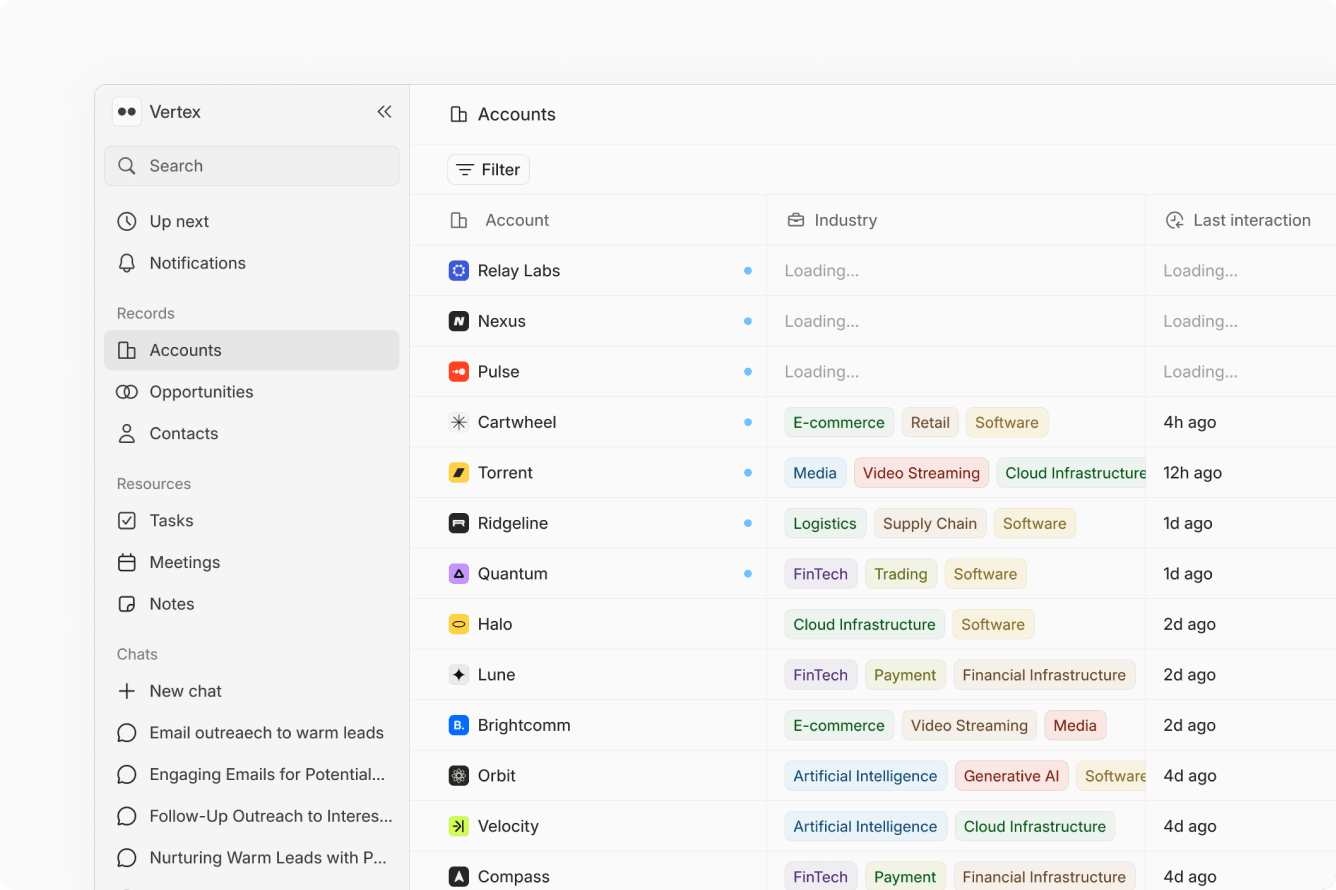
Lightfield ingests every customer data source: email, meetings, calls, Slack, LinkedIn, and third-party data. Records update themselves from those sources and stay structured for agents to use. Custom objects and relationships reflect how your business actually works. A temporal context graph records how each record relates to others and how it changed over time, with every change snapshotted on a timeline. Knowledge and Skills let you embed business context and repeatable instructions (Skills work like Claude skills). An agent harness with a code sandbox, an agent SDK, and agent evals keeps agent work consistent. A chat interface lets you update records, change the data model, build dashboards, and create automations in plain language.
Lightfield is an open platform. Every employee, agent, and application gets full CRUD access through our API, CLI, and MCP server. Our public API is the same API our own agents run on, so it cannot quietly degrade underneath you.
What customers do with it
- Close more deals with the team you have. Agents research accounts, prep meetings, and write follow-ups off the full deal history, not a template.
- Build pipeline without a BDR hire. Agents build target lists from your won deals and run multi-channel outreach.
- Ramp new hires to sell the way you do, using the context already in the system.
- Diagnose performance gaps. Ask any question and build any dashboard in plain language, with every change snapshotted on a timeline.
- Run the whole company off one source of customer truth. Product, support, and engineering read the same records, through the app, Slack, MCP, or CLI.
I've seen probably the most value in just like being able to talk to my CRM. I downgraded my HubSpot subscription because of it, which was something I've been looking forward to doing for a long time.
HubSpot + Breeze vs. Lightfield
| HubSpot + Breeze | Lightfield | |
|---|---|---|
Data foundation | Records hold what a rep typed after the call. Automatic transcription and Conversation Intelligence require a Sales or Service Hub Professional or Enterprise seat. Native call recording does not update deal fields on its own. | Records build themselves from email, meetings, calls, Slack, and LinkedIn. What was said is captured as it happened and linked to the account and deal. |
Agent capabilities | Breeze Assistant summarizes and drafts, rate-limited to 30 generations a minute and 1,000 a day. Agents run tasks and can write findings to smart properties. Consistent methodology scoring written back to fields usually needs extra tooling. | Agents research, prep, follow up, update records, run automations, and build dashboards from the full deal history, through the app, Slack, MCP, or CLI. |
Data model | Custom objects require an Enterprise subscription (Enterprise allows up to 10 object definitions). Calculation properties require Professional or Enterprise (40 on Professional, 200 on Enterprise). Association limits apply. | Custom objects and relationships on every plan. A temporal context graph tracks relationships and changes over time, every change snapshotted. |
Openness, API, MCP | Official remote MCP server (now generally available, read and write). MCP and API calls run against tiered CRM quotas (Professional 190 requests per 10 seconds; Search API about 4 to 5 per second). | Full CRUD through the API, CLI, and MCP for every employee, agent, and app. The public API is the same API our agents run on. |
Pricing model | Per seat, per hub, then HubSpot Credits for agent work at $10 per 1,000 ($9 annual). Customer Agent 50 credits per resolved conversation, Prospecting Agent 100 credits per recommended lead. Onboarding fees $1,500 (Pro) to $3,500 (Enterprise). | Annual plans start at $200 per sales user per month - with AI features bundled in, and unlimited viewer seats for everyone at the company. |
Implementation | Mandatory onboarding fee at Professional and Enterprise. Outputs reflect existing data quality. | Migration agent imports contacts, companies, deals, and custom fields, then connects email and calendar to build context from day one. |
When HubSpot is the better choice
HubSpot is the better choice if your main need today is marketing automation: newsletters, landing pages, forms, nurture campaigns, and ads in one place. HubSpot's Marketing Hub is mature, well integrated, and familiar, and its ecosystem and partner network are large. If a marketing team is the center of gravity and sales is secondary, HubSpot fits.
Lightfield does not run a marketing automation suite, and we are not building a newsletter or landing-page tool. We do not run a helpdesk and do not intend to. If those are your priority, keep the tool that does them well. Email marketing and outbound tools can connect to Lightfield and write into its records, so you can run them alongside us rather than inside us.
Pricing
HubSpot charges per seat and per hub, then again for Breeze credits. A Sales Hub Professional seat is $90 a month billed annually ($100 monthly), and Enterprise is $150. Core Seats for non-sales users are $50 (Pro) or $75 (Enterprise). There is a one-time onboarding fee of $1,500 on Sales Hub Professional and $3,500 on Enterprise. Breeze agent work is metered in HubSpot Credits at $10 per 1,000 ($9 annual), with 3,000 credits included on Professional and 5,000 on Enterprise, and unused credits expire each month. The Customer Agent costs 50 credits per resolved conversation and the Prospecting Agent 100 credits per recommended lead. Custom objects and the deeper data-model features sit behind Enterprise.
Lightfield charges for agent work.
- Pro, $999 per workspace per month. For small customer-facing teams. Five connected mailboxes; unlimited viewer seats for every employee; workflows and automations; email sequences; dashboards and reporting; workspace credits for agent work; up to 100,000 records; dedicated CSM; Slack support; custom data model configuration; automation development support.
- Growth, $1,999 per workspace per month. For companies scaling pipeline generation. Ten connected mailboxes; more credits; multi-channel sequences including LinkedIn; LinkedIn sync; advanced enrichment; voice dialer coming soon; up to 250,000 records; dedicated GTME; inbox warming; outbound campaign setup.
- Enterprise, custom. RBAC, SSO, calculated and conditional fields, sandbox environments, a dedicated FDE, and custom integrations.
Additional connected mailboxes are $200 a month billed annually, without changing plans. Credits pay only for agent work: automations, workflows, sequences, and advanced enrichment. Credit spend is transparent: a usage dashboard, alerts, and a cost estimate before you deploy an automation, with an optional hard cap. By default agents keep working and overage bills at a rate you agree in advance.
HubSpot vs. Lightfield
| Feature | Lightfield | Hubspot |
|---|---|---|
Automatic CRM updates from meetings & emails | ||
Meeting recording and transcription | Pro+ only | |
Tasks and next steps extracted from conversations | Not automatic | |
Ask any question about your pipeline in plain language | ||
Follow-up emails drafted from real conversations | ||
Workflow automation in natural language | ||
Contact & deal management | ||
Email sync & tracking | ||
Pipeline visualization | ||
Change your data model anytime without losing context | ||
Useful on day one, no setup required | ||
Marketing automation suite | On roadmap | |
Predictable pricing | ||
All AI features included in basic plan | ||
1-hour data migration |
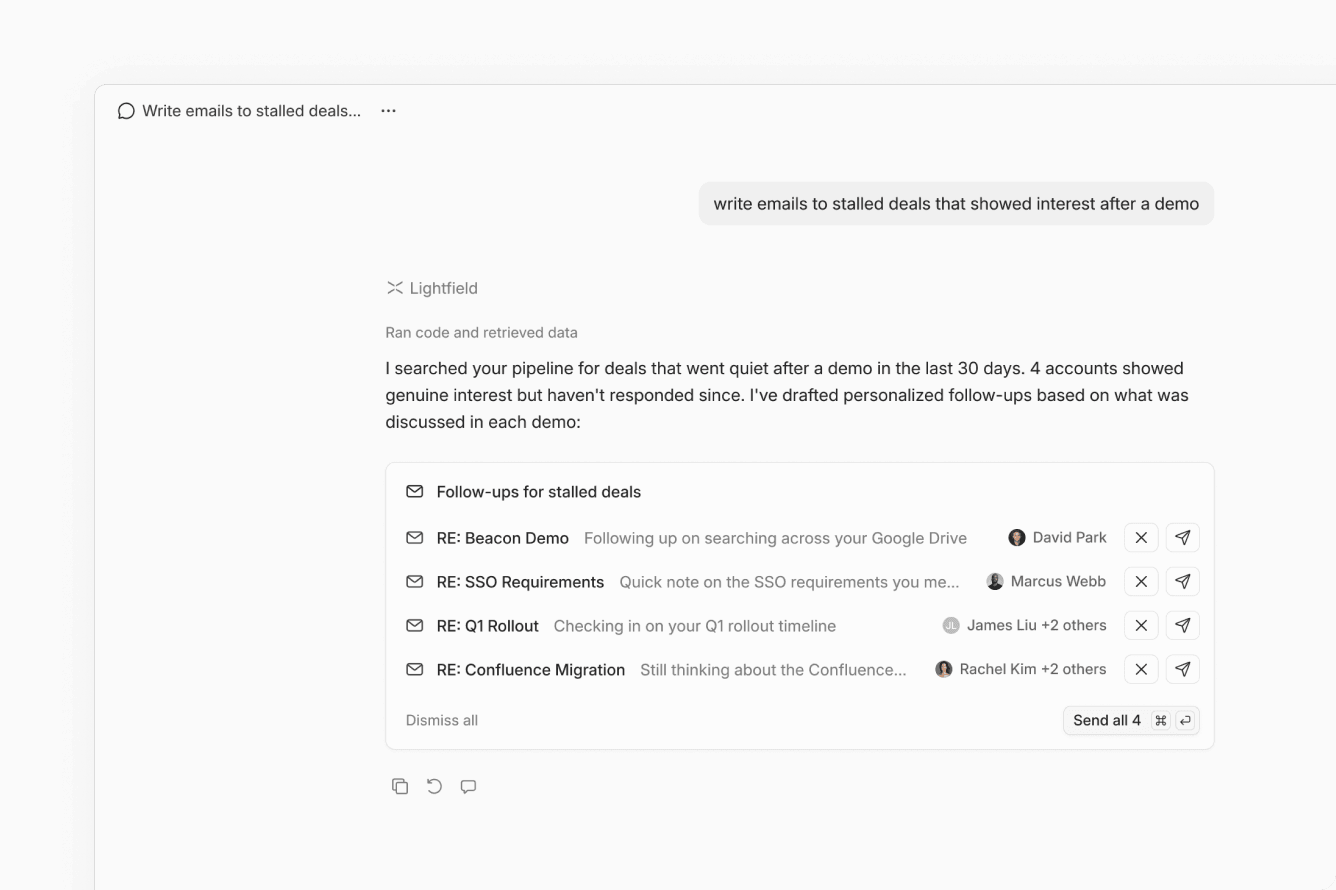
Intelligent follow-ups, not just reminders
HubSpot can remind you to follow up. Lightfield reads what was said on the call and writes the email for you — in your voice, referencing the specifics of that deal. Not a template. Not a generic nudge. A personalized email that uses the language your customer actually used in the conversation.
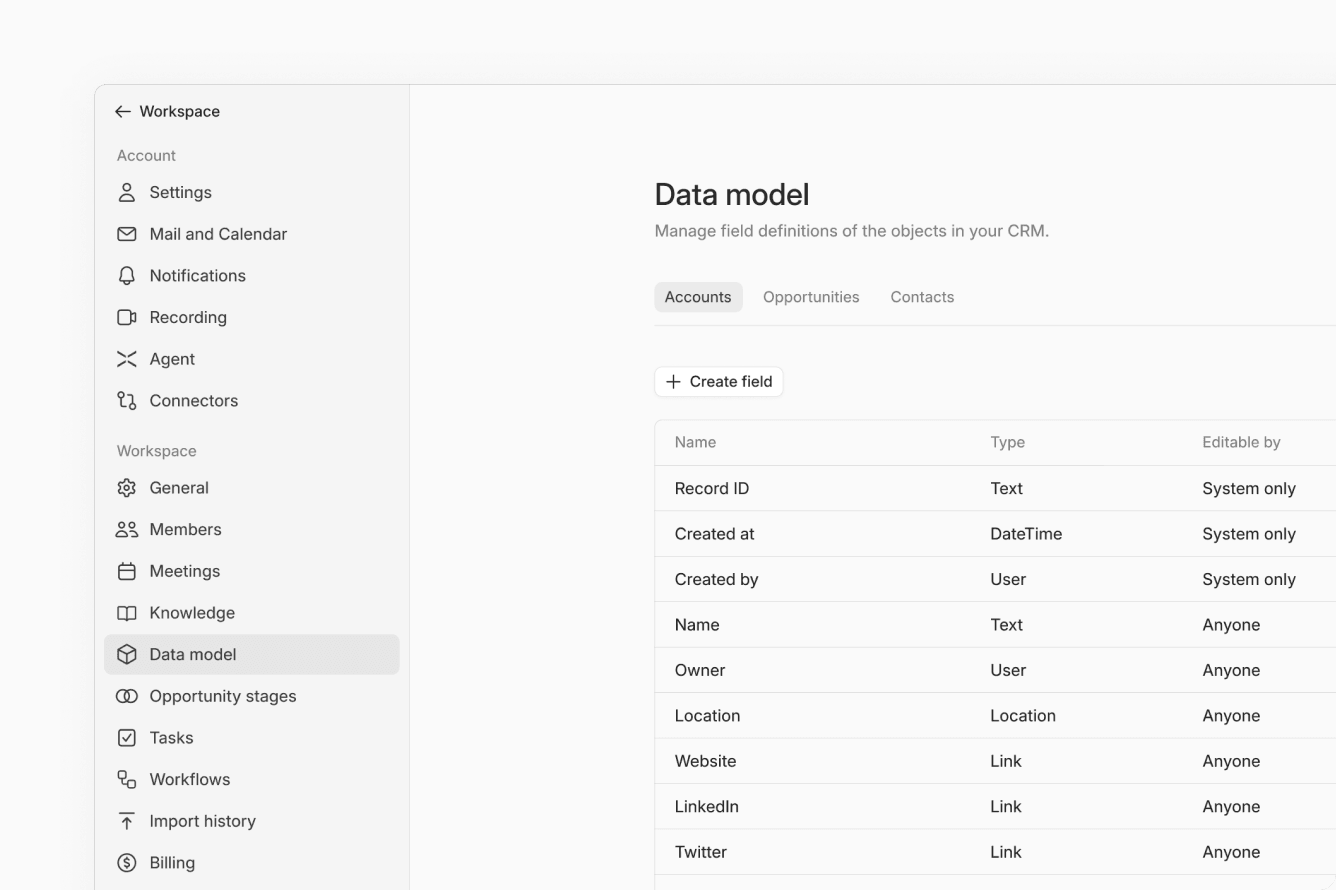
A data model that fits how you sell
HubSpot's schema is fixed — once you build it, changing it means losing data or breaking workflows. Lightfield's data model is schema-less. Add fields, rename stages, restructure your pipeline anytime. Every past conversation stays intact. Create a new field today and Lightfield backfills it from months of call transcripts you've already captured.
Built for the way you sell
Lightfield replaces the HubSpot stack with a single AI-native system that runs itself.
Meeting intelligence | Records, transcribes, and extracts deal context from every call — automatically synced to the right account. |
Email sync & analysis | Reads your inbox to surface contacts, deals, and next steps without you forwarding a single email. |
AI agent | Ask anything about your pipeline in plain language — deal status, rep activity, at-risk accounts, all of it. |
Workflow automation | Auto-assign tasks, trigger follow-up sequences, and update stages based on what's actually happening in your deals. |
Flexible data model | Add fields, rename stages, and restructure your pipeline on the fly — no ops ticket required, no data loss. |
Integrations | Plugs into your existing stack: Google Workspace, Slack, Clay, Stripe, Granola, Notion, and more — without Zapier. |