11 Best Monday CRM Alternatives for Founder-Led Sales Teams in 2026
Matt Serna
Quick Summary
Monday CRM works early on, especially for teams already using Monday for project management. As sales volume grows, the same friction appears: manual upkeep, CRM data drifting out of sync with real conversations, and reporting that doesn't scale without constant maintenance.
Here are our top three picks:
| Tool | Best For | Why Teams Pick It |
|---|---|---|
Lightfield | Founder-led teams that want the latest AI agent capabilities to automate work in their business | Auto-captures emails, meetings, and calls to understand business context and manage follow-ups. |
Folk | Relationship-heavy teams (agencies, partnerships, founders) | Cleaner system of record for contacts and touchpoints. Capture and enrichment fast enough that CRM stays current. |
Salesflare | B2B teams that want zero-input CRM updates from email and calendar | Closes the gap between conversation activity and CRM records. |
Finding the Right Monday CRM Alternative
Many founder-led teams adopt Monday CRM because it's already part of their stack, easy to spin up, or flexible enough to track leads early on. As sales activity increases, recurring friction appears: growing manual upkeep, CRM data drifting out of sync, and difficulty getting reliable insight without constant maintenance.
This article breaks down why teams look for a Monday CRM alternative and compares 11 tools. For teams who want a CRM that updates itself, Lightfield auto-captures emails, calls, and meetings without manual data entry.
Why Teams Look for a Monday CRM Alternative
Monday CRM works at the beginning. Teams spin up boards quickly, track deals visually, and avoid heavyweight CRM setup. Once sales volume increases, three issues surface consistently.
1. Manual Upkeep Becomes Ongoing Friction
Monday CRM is flexible and customizable. That flexibility comes with ongoing effort.
From G2 reviews and founder discussions:
- Maintaining workflows and automation requires continuous attention
- One founder on Reddit: "We've used Monday, Zoho, SuiteCRM, Odoo… and we've never really been happy. Too complex, too rigid, or just not worth the mental overhead."
Monday CRM can work. Keeping it working requires continuous attention. For founder-led teams, that cognitive load often becomes the reason they start looking elsewhere.
2. Reporting and Insight Plateau as Teams Grow
Monday CRM is praised for visibility and ease of use. Insight doesn't scale as cleanly.
Common complaints from G2 reviews:
- Forecasting limitations as deal volume grows
- Analytics that plateau before teams need them to
- Reporting that requires workarounds for basic questions
Teams looking for forecasting, historical trends, or revenue insight often reach the edge of what Monday CRM was built to do.
3. Seat-Based Pricing Creates Friction
Pricing friction appears as teams grow beyond a handful of users.
From G2 reviews and Reddit:
- Adding contributors changes the economics quickly
- One founder: "We need 4 seats instead of 3 so that's another big jump."
Founder-led teams want broader visibility and collaboration without committing every occasional user to a full paid seat.
The 11 Best Monday CRM Alternatives
| Tool | Best For | Why Teams Pick It | Main Trade-off |
|---|---|---|---|
Lightfield | Founder-led teams that want CRM to stay accurate automatically | Captures emails/meetings/calls and keeps context current | Not for teams that want to design schemas manually |
Folk CRM | Relationship-heavy teams (LinkedIn/partnerships) | Fast LinkedIn capture + lightweight outreach tracking | Analytics + data hygiene tools can feel light |
Salesflare | Teams wanting zero-input CRM updates | Auto-captures activity so CRM stays current | Reporting/custom dashboards can feel limited |
Attio | Teams who want a modern CRM with flexible data model | More structure than boards; highly customizable | Flexibility = more setup/maintenance responsibility |
HubSpot CRM | Teams wanting structure + reporting + upgrade path | Strong pipeline primitives, automation, and ecosystem | Advanced features get expensive as you scale |
Pipedrive | Sales-first teams that want pipeline clarity | Visual pipeline + activities/reminders | Not as flexible for bespoke data models |
Close CRM | Outbound-heavy teams living in calls/email/SMS | Built-in calling + sequences | Customization and data model depth are limited |
Zoho CRM | Teams that want a centralized system across departments | Deep suite integration + automation + customization | Learning curve + UI density + setup overhead |
Bigin (Zoho) | Small teams wanting a simple pipeline CRM | Clean pipeline + mobile + basic automation | Customization/reporting ceilings as you scale |
Copper | Google Workspace-first teams | CRM lives inside Gmail/Calendar | Best if you're all-in on Google |
Freshsales | Teams wanting CRM + automation + AI at SMB cost | Built-in phone/email/sequences + Freddy AI | Reporting depth can feel limited |
1. Lightfield — Best for: Founder-led teams that want CRM to update automatically
What it is
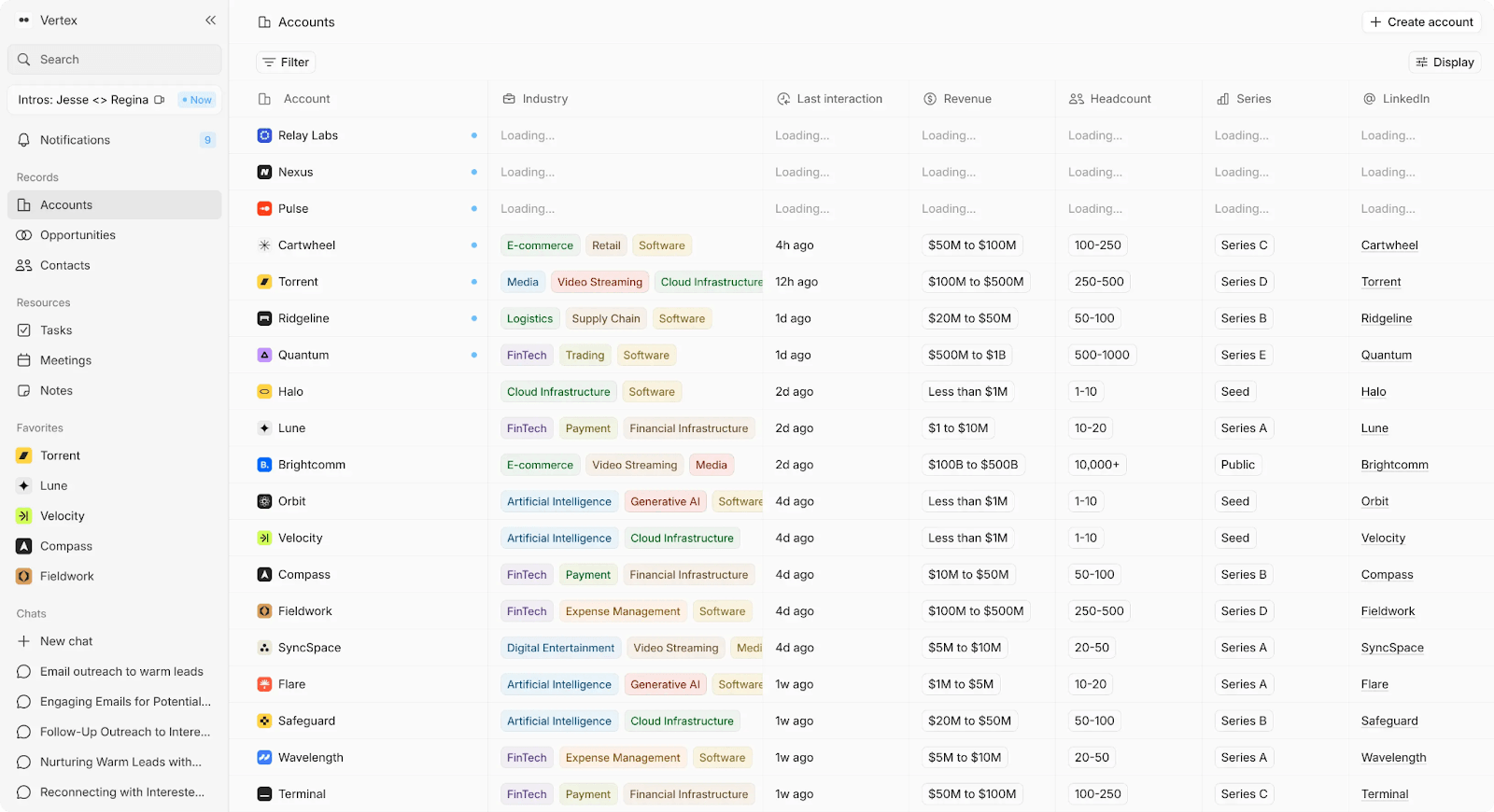
AI-native CRM that captures emails, meetings, and calls and turns them into usable customer context without manual entry.
Key Features
- Auto-captures email, calendar, and meeting data to create and update accounts, contacts, and opportunities
- Built-in call recording with summaries and action items
- CRM records update continuously as conversations happen
- Natural language search across customer history with citations
- Flexible data structure that doesn't require upfront modeling
- Full account context available to new team members immediately
Tradeoffs
- Not for teams that want to manually design or control CRM schemas
- Less appeal for teams that prefer hands-on pipeline management
Pricing
30-day free trial, then $59/month. Custom pricing for Scaleup tier.
Best for
Founder-led teams running 10+ meetings per week who don't want CRM upkeep competing with selling.
Bottom line
CRM stays current by deriving data directly from sales activity.
2. Folk CRM — Best for: Relationship-heavy teams (agencies, partnerships, founders)
What it is
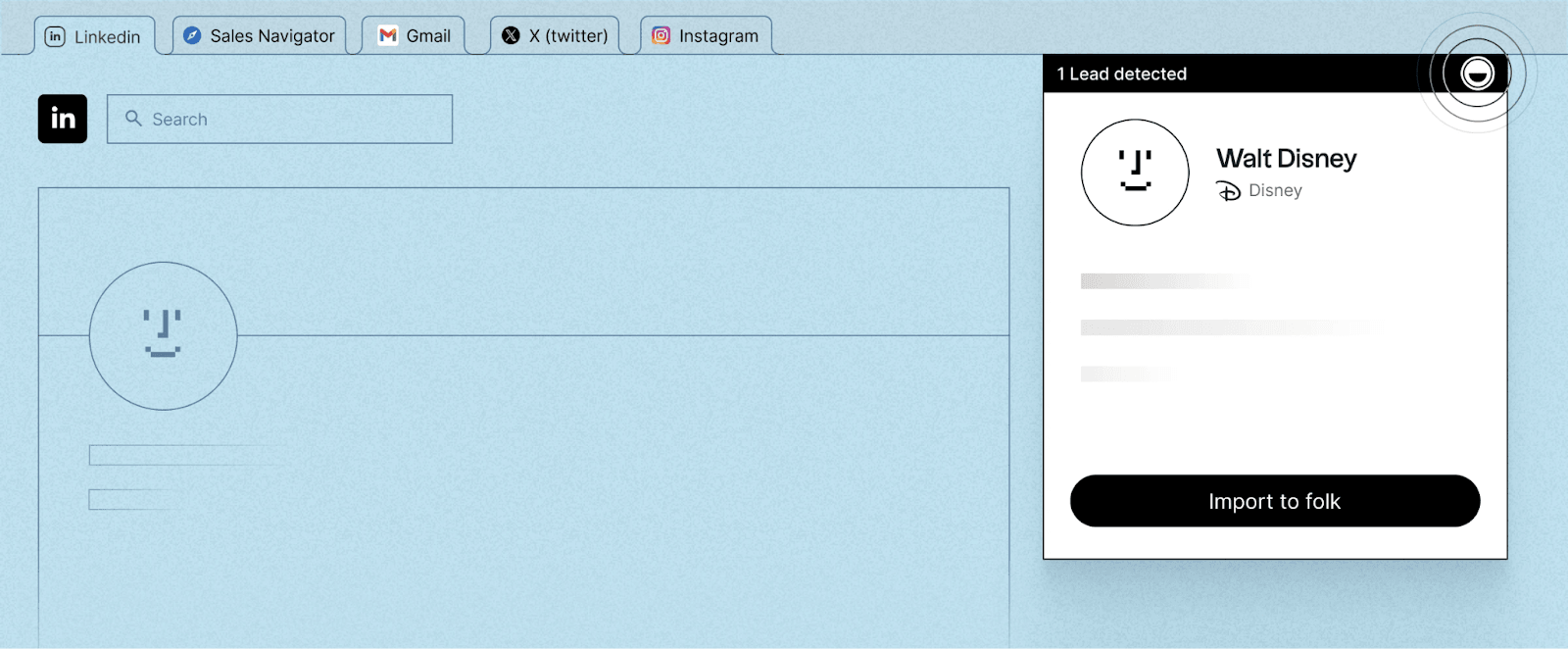
Lightweight CRM with fast LinkedIn capture and contact-centric design.
Key Features
- One-click LinkedIn capture and enrichment
- Clean UI that's easy to adopt without training
- Strong contact and conversation tracking
- Email campaigns and sequences for small teams
- Works well for partnerships, VC pipelines, and agency relationships
Tradeoffs
- Limited advanced analytics and reporting
- Data hygiene tools can feel lighter than enterprise CRMs
- LinkedIn integration can be flaky at times
- Some deal/pipeline actions still require manual steps
Pricing
Standard from $17.50/user/month. Premium from $35/user/month. Custom from $70/user/month.
Best for
Teams where the sales process is really a web of relationships—LinkedIn DMs, intros, partner conversations.
Bottom line
Lightfield doesn't just automate data capture — it turns captured data into usable intelligence. Records stay current, context is always available, and the AI works across the full history of customer interactions rather than summarizing one record at a time.
3. Salesflare — Best for: B2B teams that want zero-input CRM updates from email and calendar
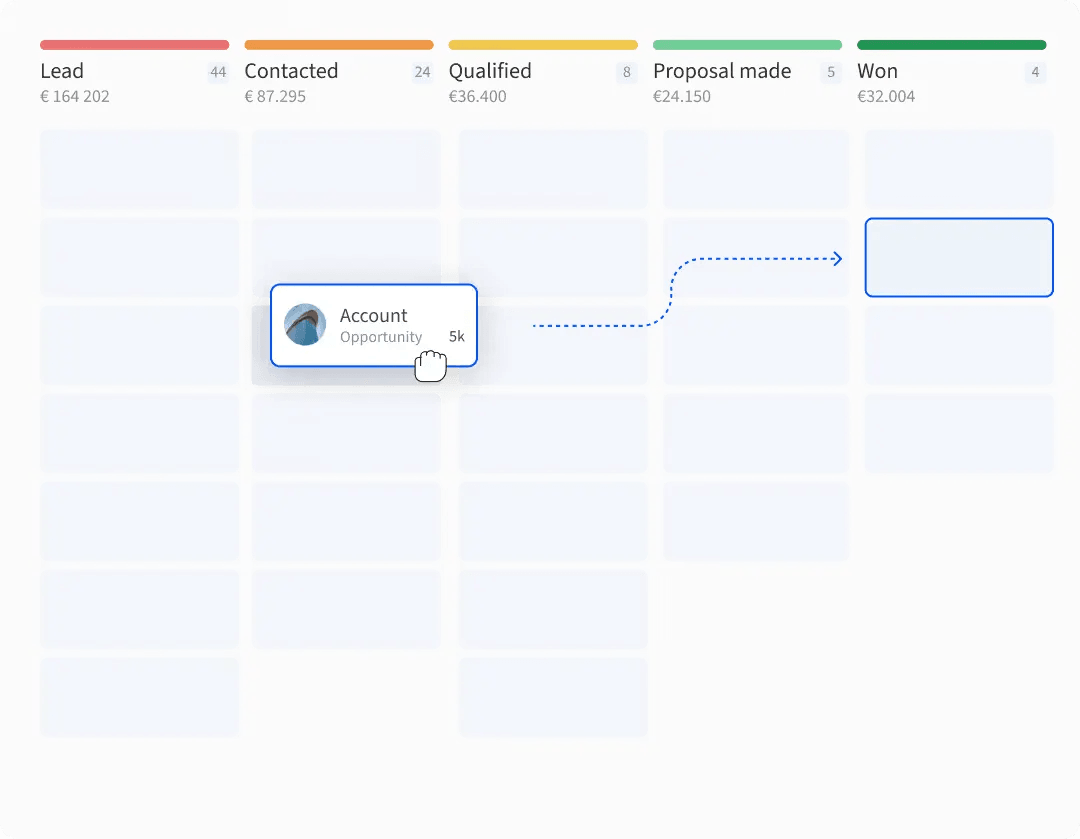
What it is
CRM that auto-captures emails and meetings to reduce manual updates.
Key Features
- Auto-captures emails and meetings to build timelines automatically
- Visual pipeline with follow-up reminders
- Fast setup and easy adoption for small teams
- Strong Gmail/Outlook/LinkedIn workflow fit
- Responsive support noted in reviews
Tradeoffs
- Reporting and custom dashboards can feel limited vs larger CRMs
- Some users want more native integrations vs relying on Zapier
- Not positioned for enterprise-scale complexity
Pricing
Growth from $29/user/month. Pro from $49/user/month. Enterprise from $99/user/month.
Best for
Teams where deals progress in email and meetings but the CRM only updates when someone remembers.
Bottom line
Closes the gap between conversation activity and CRM records.
4. Attio — Best for: Teams that want a flexible CRM and are willing to invest time configuring it
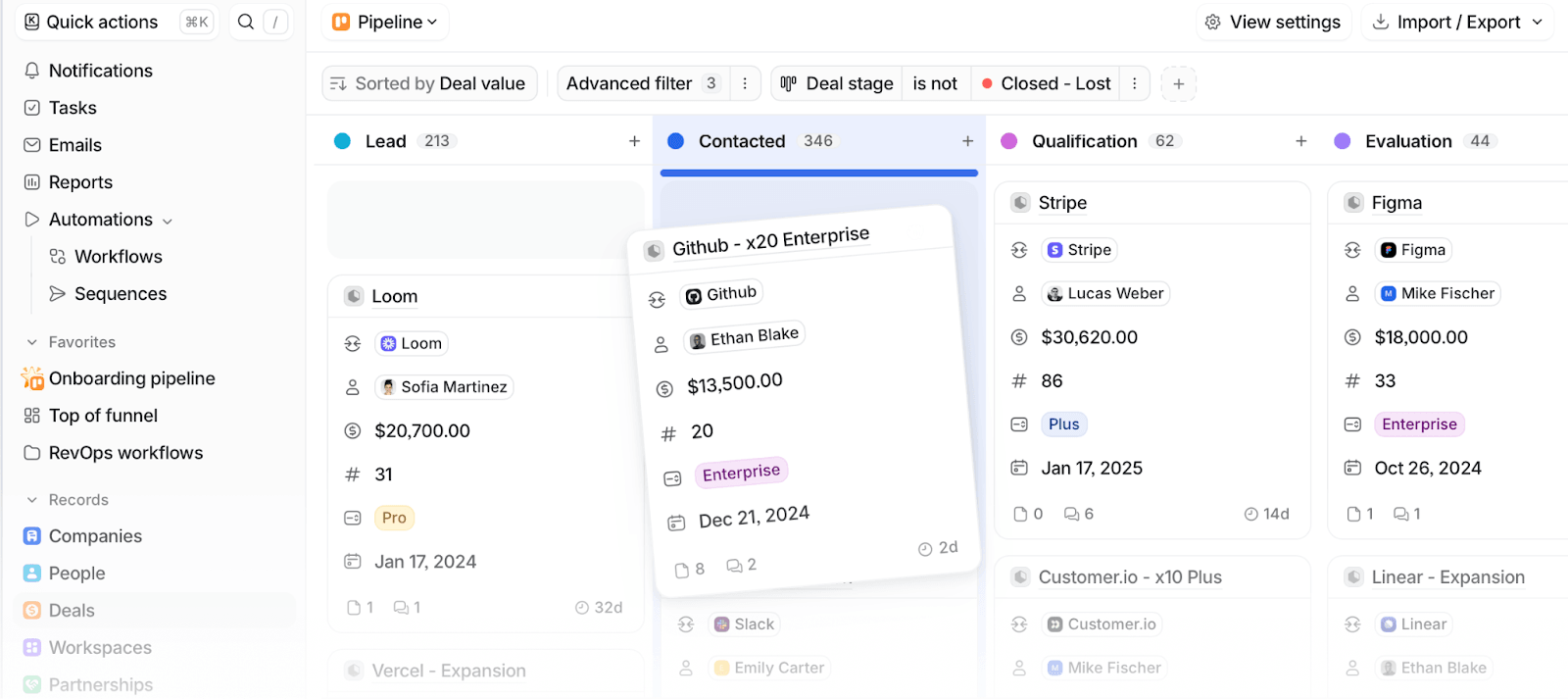
What it is
Modern CRM with configurable objects, relationships, and workflows.
Key Features
- Flexible, object-based data model that adapts to different GTM motions
- Email and calendar sync to bootstrap CRM data quickly
- Powerful automation and reporting once configured
- Modern interface with low adoption friction
- Native connectors and Zapier integrations
Tradeoffs
- Workflow and automation setup requires trial and error early on
- Flexibility shifts responsibility onto the team to design and maintain the system
- Some users report data import issues during onboarding
Pricing
Free for up to 3 seats. Plus from $29/user/month. Pro from $69/user/month. Enterprise custom.
Best for
Teams that want more structure than boards but aren't ready for enterprise CRM.
Bottom line
Configurable CRM foundations. Setup investment required to get full value.
5. HubSpot CRM — Best for: Teams that want structure, reporting, and an upgrade path
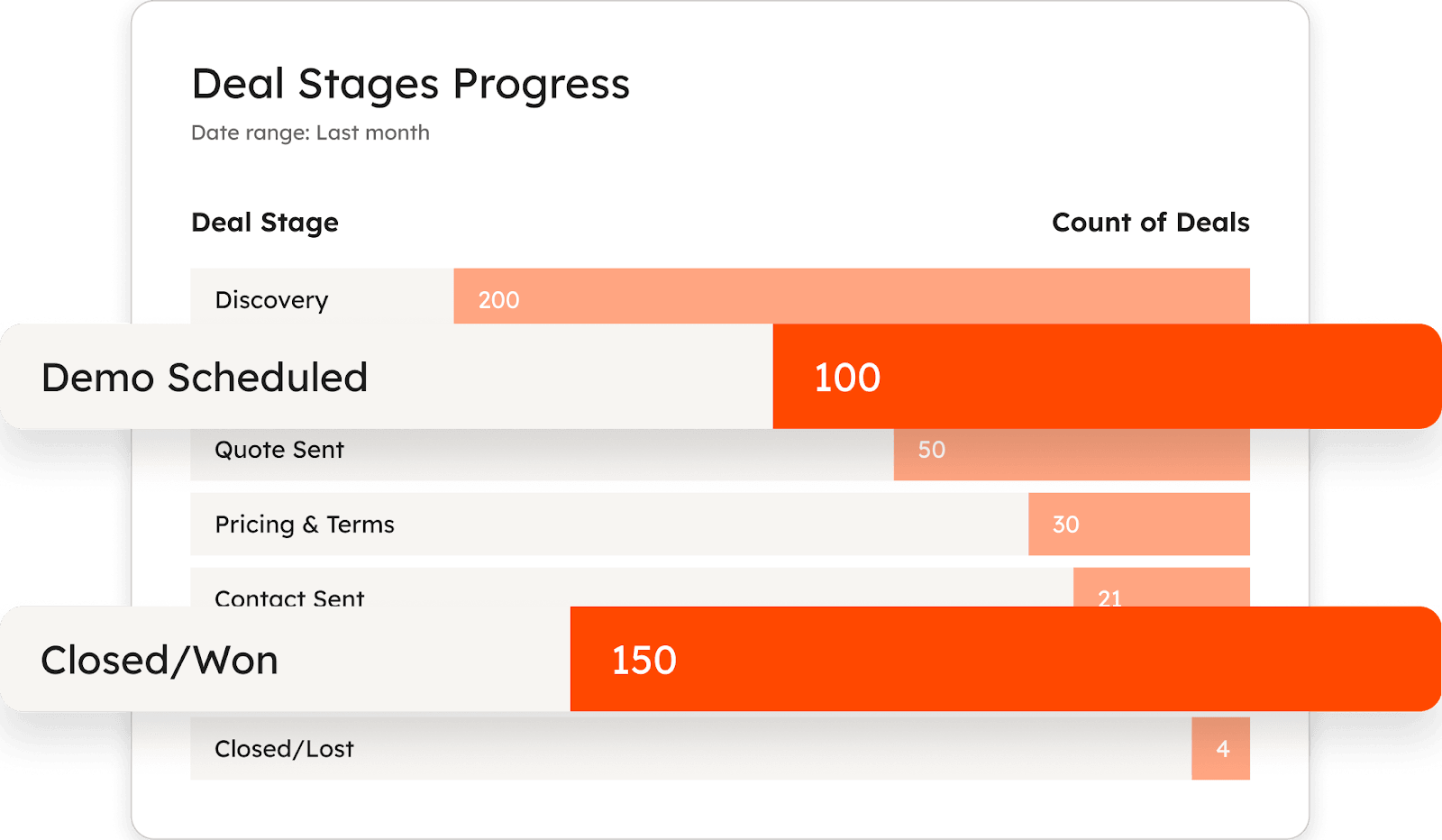
What it is
Structured CRM with contacts, companies, deals, tasks, email tracking, and reporting in one system.
Key Features
- Clean pipeline and deal management with tasks and follow-ups
- Reporting sufficient for weekly sales updates without extra tooling
- Strong automation, templates, and snippets for consistent outreach
- Large integration ecosystem with easy setup
- Free tier with no expiration and clear upgrade path
Tradeoffs
- Advanced reporting, automation, and permissions gated to higher tiers
- Setup still requires decisions on properties, pipelines, and views
- Data hygiene becomes work as volume grows
Pricing
Free CRM at $0. Paid tiers vary; upgrades required for advanced features.
Best for
Teams that want a system handling sales + marketing + service data in one place.
Bottom line
Obvious step up when you want CRM primitives instead of boards.
6. Pipedrive — Best for: Sales-first teams that want pipeline clarity and follow-up discipline
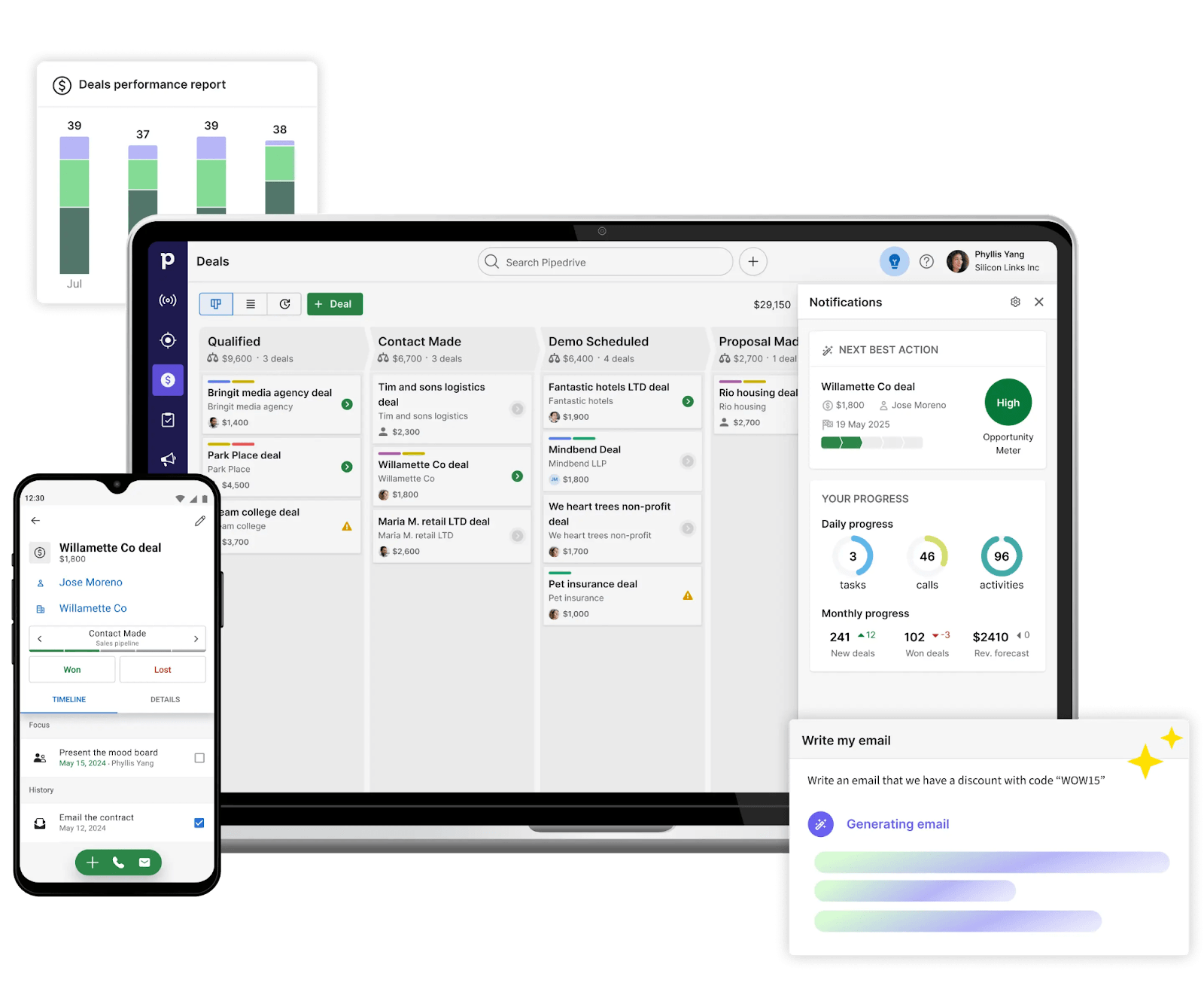
What it is
Sales CRM built around visual pipeline management and activity reminders.
Key Features
- Drag-and-drop pipeline view with deal stages
- Reminders and next-action nudges to maintain follow-up discipline
- Separates leads vs deals for cleaner pipeline management
- Large integration marketplace and email tracking
- Low learning curve for non-technical teams
Tradeoffs
- Some automation gaps around shared inbox and notifications
- Pricing can limit how many teammates get seats
- Less flexible for bespoke data models
Pricing
Lite $14/seat. Growth $39/seat. Premium $59/seat. Ultimate $79/seat.
Best for
Small sales teams that want deal-stage clarity without heavyweight CRM setup.
Bottom line
Pipeline progress doesn't depend on someone updating columns after every call.
7. Close — Best for: Outbound-heavy teams living in calls, email, and SMS
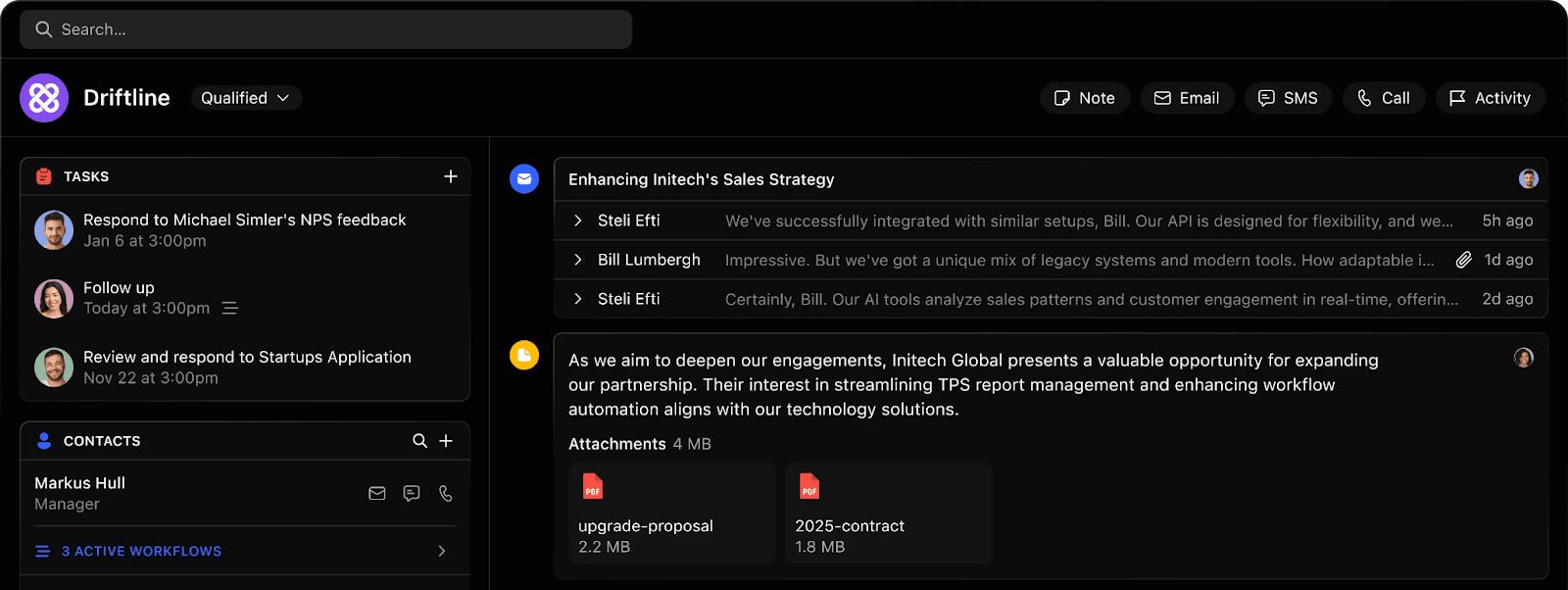
What it is
CRM with built-in calling, email, and SMS logged automatically.
Key Features
- Built-in calling, email, and SMS with automatic logging
- Unified inbox and task view for daily selling
- Fast setup and low learning curve
- Sequences, templates, and reminders for outbound
- Clean interface despite rich feature set
Tradeoffs
- Reporting and filters can feel rigid
- Customization depth is limited compared to schema-first CRMs
- Best suited for sales-led workflows, not cross-functional CRM use
Pricing
Essentials $35/seat/month. Growth $99/seat/month. Scale $139/seat/month.
Best for
Teams where sales activity is call- and outreach-heavy.
Bottom line
Communication at the center of the CRM. Pipeline progress reflects real outreach.
8. Zoho CRM — Best for: Teams that want a centralized system across departments
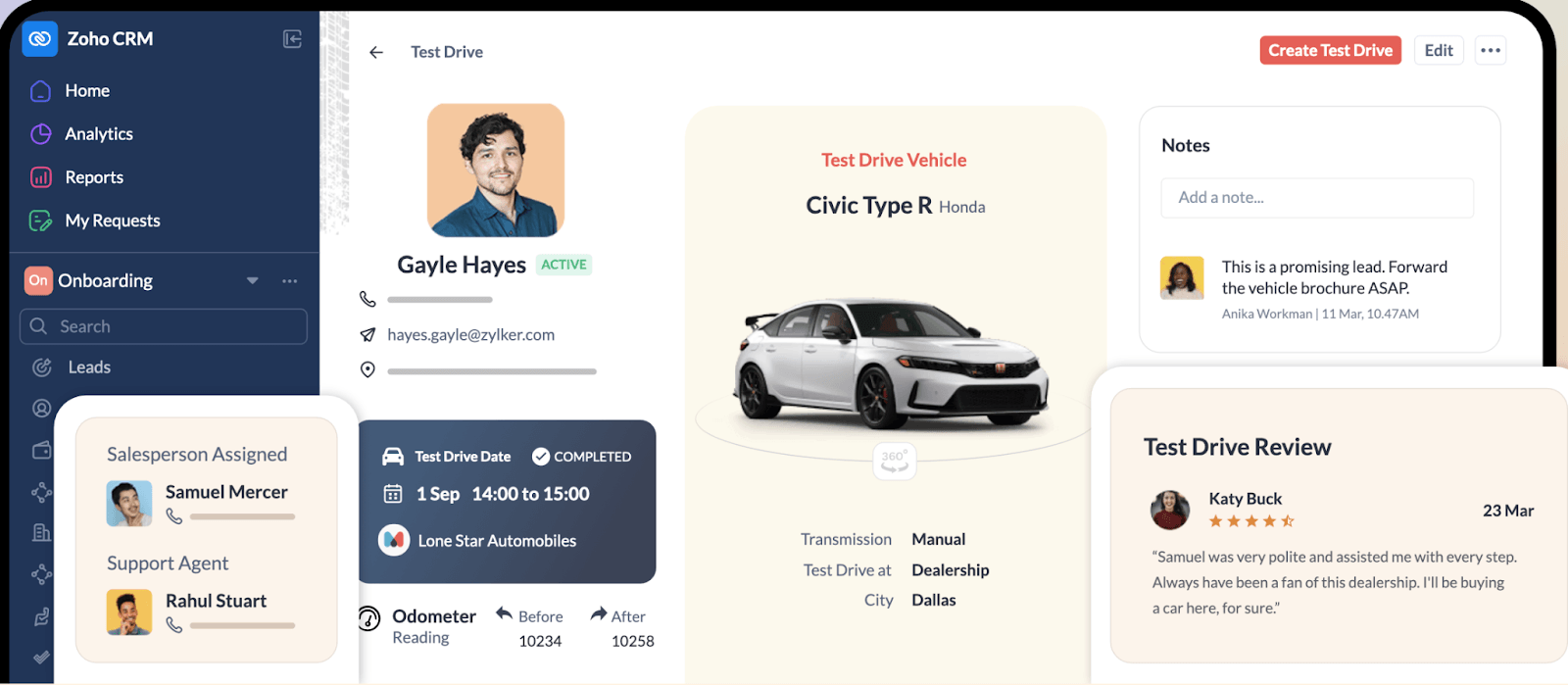
What it is
End-to-end CRM covering sales, marketing, support, and operations with deep Zoho ecosystem integration.
Key Features
- Sales, marketing, support, and operations in one system
- Deep integration across Zoho ecosystem (Mail, Books, Desk, Campaigns, Analytics)
- Powerful automation, workflow rules, and Zia AI assistance
- Highly customizable modules, pipelines, and reports
- Competitive pricing for enterprise-level features
Tradeoffs
- Steeper learning curve as workflows and customizations increase
- Interface can feel dense for smaller teams
- Performance issues reported at scale
- Best experience depends on committing to full Zoho ecosystem
Pricing
Free for up to 3 users. Standard $14/user/month. Professional $23/user/month. Enterprise $40/user/month. Ultimate $52/user/month.
Best for
Teams ready to consolidate tools into one system and willing to invest in setup.
Bottom line
Replaces flexible boards with structured CRM foundations, automation, and reporting.
9. Bigin (by Zoho) — Best for: Small teams wanting a simple pipeline CRM fast
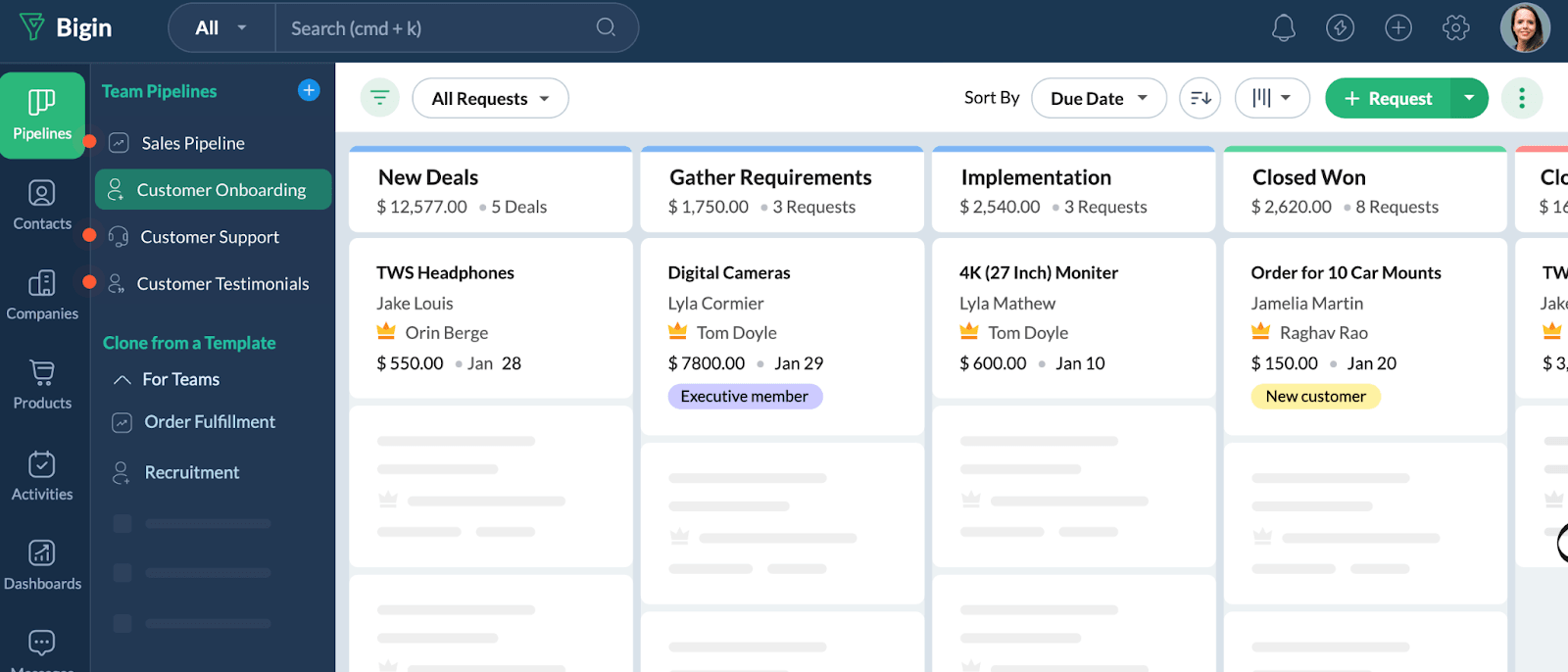
What it is
Lightweight CRM with pipeline-first design for small businesses.
Key Features
- Pipeline-first CRM with clean UI and quick onboarding
- Solid mobile experience for field teams
- Email sync, WhatsApp support, and calling options
- Simple automation for follow-ups and stage-based actions
- Affordable pricing with real free tier
- Upgrade path into wider Zoho ecosystem
Tradeoffs
- Customization has ceilings (custom fields, layouts, deeper workflow logic)
- Reporting and dashboards stay basic unless you move up tiers
- Third-party integrations limited outside Zoho
Pricing
Free for single user. Express $7/user/month. Premier $12/user/month. Bigin 360 $18/user/month.
Best for
Small teams ready to stop running sales on boards, spreadsheets, and WhatsApp threads.
Bottom line
Consolidates the essentials—pipeline, activities, contact history—so your team runs one process.
10. Copper — Best for: Google Workspace-first teams
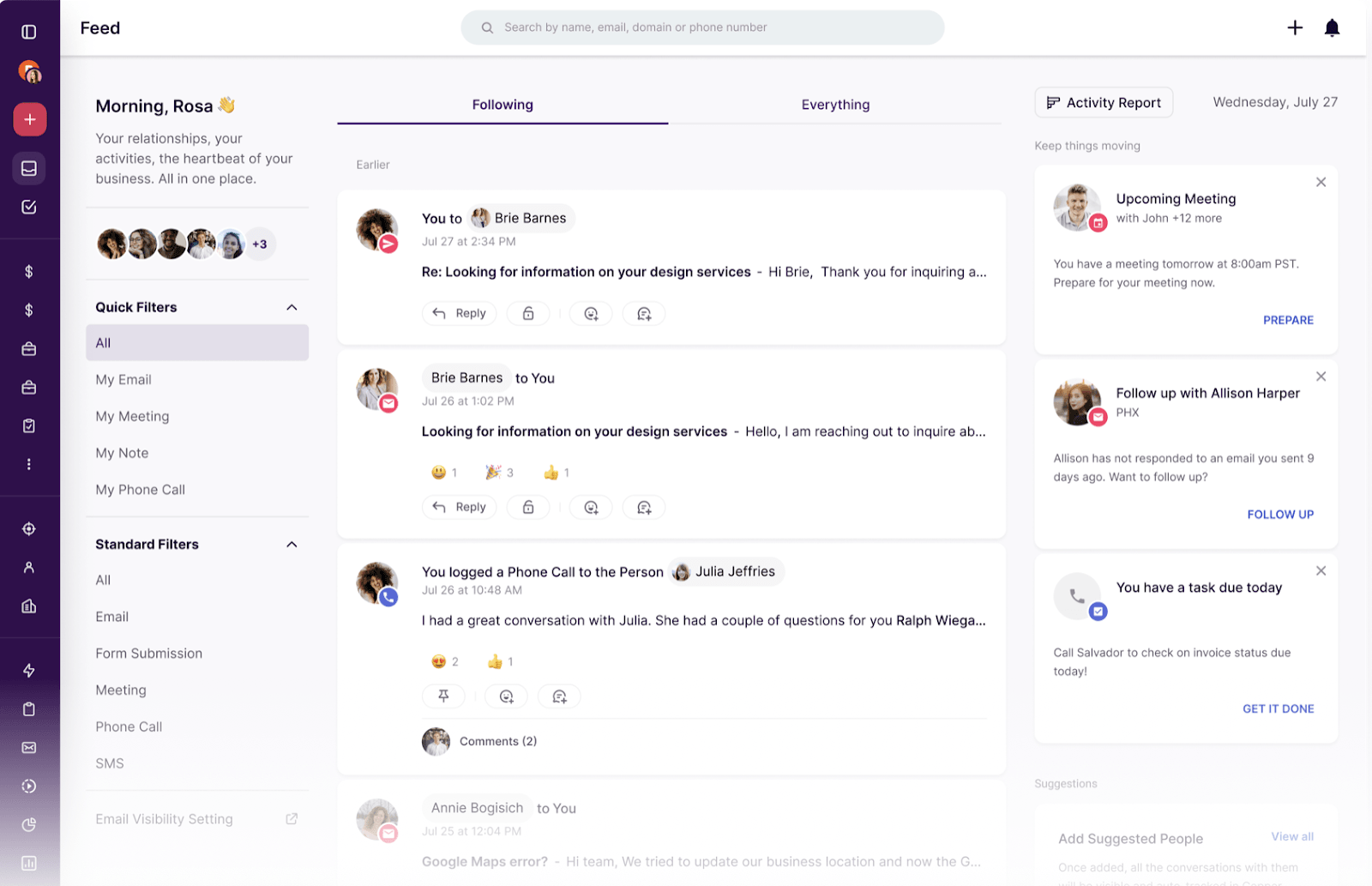
What it is
CRM embedded directly into Gmail and Google Calendar.
Key Features
- Deep Gmail and Google Calendar integration with in-inbox CRM updates
- Automatic activity tracking from emails, meetings, and tasks
- Visual pipelines with reminders and deal health indicators
- Built-in project management for post-sale delivery
- Files and Google Docs sync automatically to contacts and deals
Tradeoffs
- Heavily dependent on Google Workspace; limited appeal for non-Gmail teams
- Advanced automation, reporting, and sequencing gated behind higher plans
- Email campaign features are lighter than outbound-focused CRMs
Pricing
Starter $9/user/month. Basic $23/user/month. Professional $59/user/month. Business $99/user/month.
Best for
Teams where sales activity already happens almost entirely in email and calendar.
Bottom line
CRM records stay tied directly to Gmail and Calendar. Reduces manual updates and context switching.
11. Freshsales — Best for: Teams wanting CRM + automation + AI at SMB-friendly cost
What it is
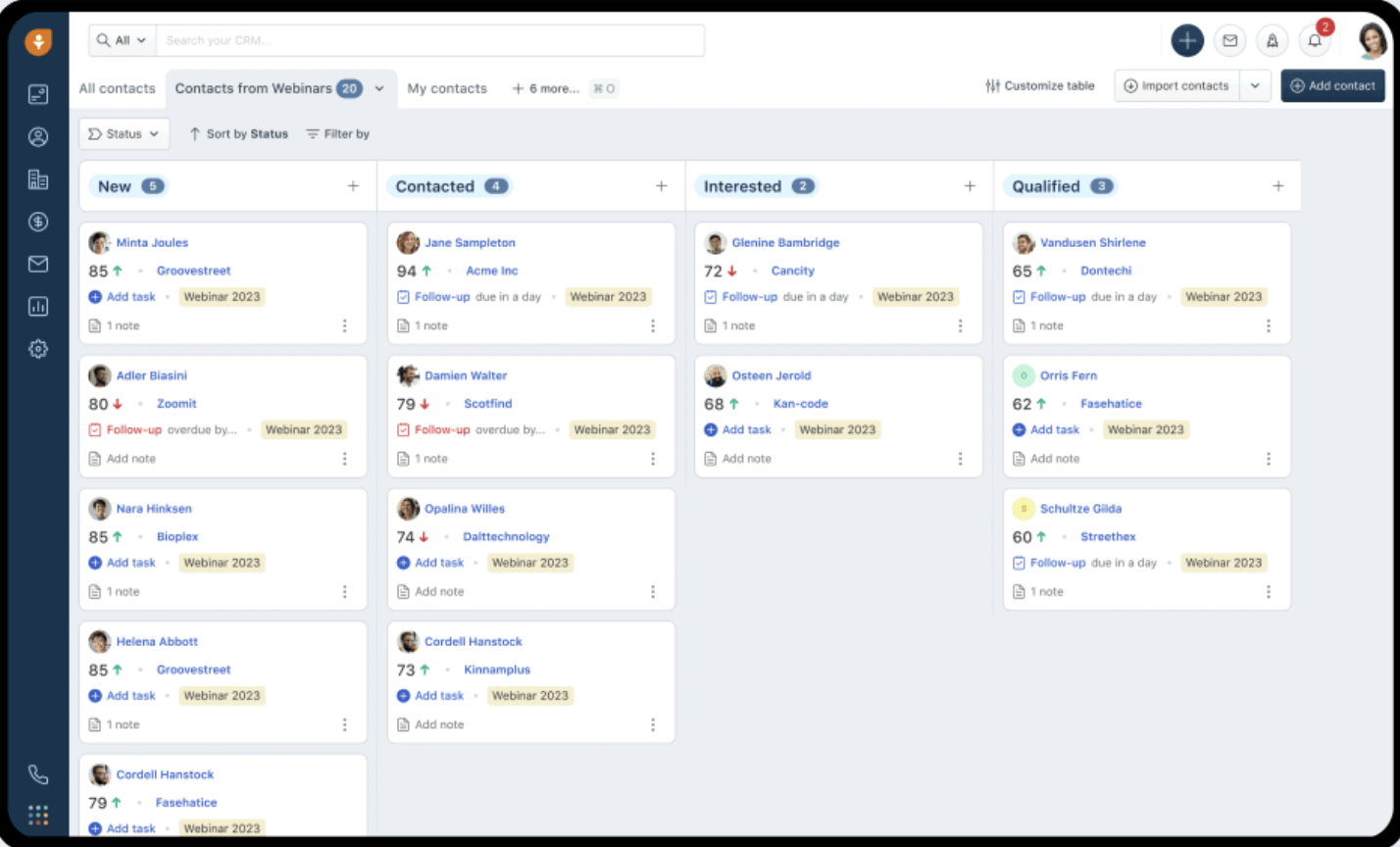
Full-fledged sales CRM with built-in phone, email, automation, and Freddy AI.
Key Features
- Built-in email, phone, chat, and pipelines in one system
- Freddy AI for lead scoring, deal insights, and email drafting
- Visual kanban-style pipelines with automation and routing rules
- Sales sequences and bulk email built into the CRM
- Tight integration with Freshworks ecosystem
Tradeoffs
- Reporting and analytics depth can feel limited for advanced teams
- Some users report slower performance in reports and complex views
- Advanced automation introduces a learning curve
Pricing
Growth $9/user/month. Pro $39/user/month. Enterprise $59/user/month.
Best for
Teams that need automation, lead scoring, and structured follow-ups without enterprise complexity.
Bottom line
Dedicated sales engine that tracks deals, conversations, and performance in one system.
Choosing the Best Monday CRM Alternative
Teams don't leave Monday CRM for more features. They leave because keeping the CRM accurate starts competing with selling.
The common thread: manual upkeep becomes the bottleneck. For some teams, reporting or structure breaks down. For others, relationship tracking can't scale.
If that's your situation, Lightfield keeps CRM data current by capturing emails, meetings, and calls automatically. The system stays useful without constant manual updates.