Here Are the Top 13 CRMs for SaaS Teams
Matt Serna
Quick Summary
This guide reviews the top 13 CRM platforms for SaaS teams, highlighting tools that automate workflows, capture customer data, and optimize sales processes. From Lightfield's AI-native automation to Salesforce's extensive customization, each CRM offers unique features to address different team needs and workflows.
Here are our top three picks:
| Tools | Best For | Why Teams Pick It |
|---|---|---|
Lightfield | Venture-backed startups | AI that observes sales activity and keeps CRM current — captures calls, meetings, and emails, generates follow-ups, and surfaces full account and deal context based on understanding of your business. |
Salesforce | Enterprise-level teams | Provides customization, automation, and reporting tools for complex workflows. |
Close CRM | Inside sales teams | Integrates calling, SMS, and email, offering communication and pipeline management for high-touch sales. |
Which SaaS CRM is the Best for Your Team?
Selecting the right CRM is a key decision for any SaaS team, as it directly impacts sales efficiency, customer engagement, and overall growth. For founder-led teams, the CRM must remove admin load. Auto-log activity. Generate next steps. Keep records current.
This Lightfield guide explores 13 CRMs for SaaS teams, providing an in-depth look at each tool's strengths, weaknesses, and how they align with various team needs.
The Top 13 CRM for SaaS Teams
| Tool | Best For | Automation | Ease of Setup |
|---|---|---|---|
Lightfield | Founder-led teams seeking automated CRM updates and task management | Very High | Very High |
Salesforce | Enterprise-level SaaS teams with complex processes | Very High | Low |
Close | Inside sales-centric SaaS teams seeking integrated communication | High | Medium |
HubSpot | SaaS teams needing a scalable CRM with automation and integrations | Very High | High |
Attio | SaaS teams that need deep customization and relationship management | High | Medium |
Zoho CRM | Teams needing flexible workflows and multi-channel support | High | Medium |
Monday CRM | Teams that need a visual, customizable CRM with workflow automation | High | Very High |
Freshsales | Teams needing integrated communication with AI insights | High | Medium |
Copper | Google Workspace teams wanting automated, low-friction CRM | High | Very High |
Pipedrive | Teams looking for visual pipeline management | Medium | Very High |
Folk CRM | Teams needing a flexible relationship-centric CRM | Low | Very High |
Zendesk Sell | Sales teams seeking a CRM integrated with customer support workflows | High | High |
Agile CRM | SaaS teams needing an all-in-one CRM with sales, marketing, and support automation | High | High |
1. Lightfield — Best for: Venture-backed SaaS teams that want the CRM to think, not just store data
What it is
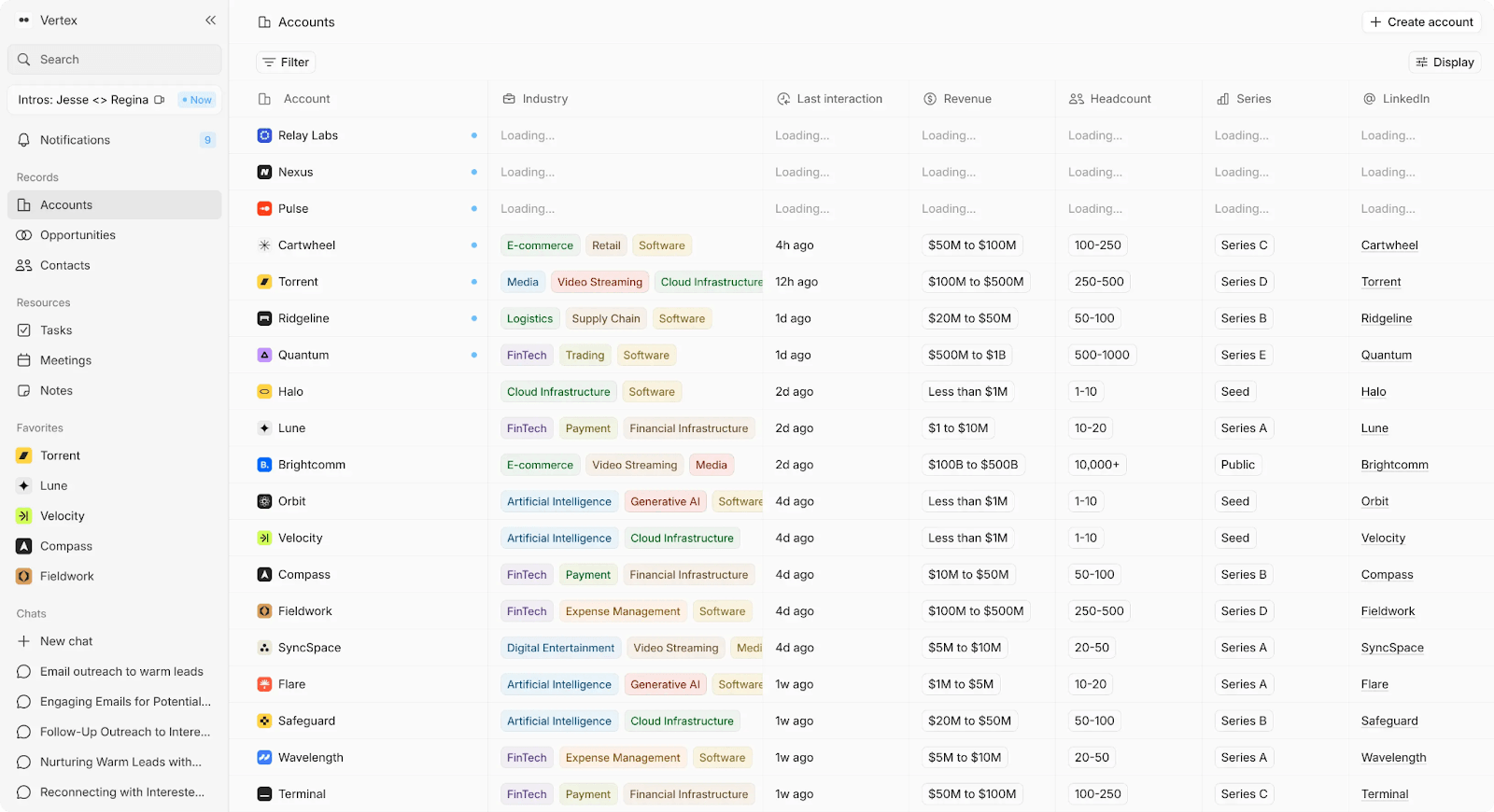
AI-native CRM that captures emails, meetings, and calls and turns them into structured, continuously updated records — then makes that data queryable, searchable, and actionable without manual input.
Most CRMs marketed as "AI-powered" bolt on surface-level features — a chatbot that summarizes a record, or a scoring model that requires clean data to function. Teams quickly discover the AI doesn't go deep enough. They end up copying call notes into ChatGPT, building Google Sheets scripts to get the reporting they need, or abandoning the CRM altogether because the data inside it is stale.
Lightfield takes a different approach. The AI isn't a feature layered on top — it's the foundation. Every email, call, and meeting is automatically captured, structured, and used to keep accounts, contacts, and opportunities current. The system generates summaries, action items, and follow-ups from real conversations. And when a team member needs context — on a deal, a relationship, or a conversation from three months ago — they can search in natural language and get cited answers drawn from actual customer history.
Key Features
- Auto-captures email, calendar, and meeting data to create and update accounts, contacts, and opportunities — no logging, no syncing, no maintenance
- Built-in call recording with AI-generated summaries and action items at every tier — not gated behind premium plans
- Natural language search across all customer history with citations, so teams can ask questions about any deal or account and get answers grounded in real interactions
- CRM records update continuously as conversations happen — pipeline data reflects reality, not last week's manual entry
- Full account context available to any team member immediately, eliminating the ramp-up time when new reps join or a founder hands off a relationship
- Retrospective population of new fields using data from past interactions — add a field today and Lightfield fills it in from historical activity
- Flexible data structure that works out of the box without requiring upfront schema design or workflow configuration
Tradeoffs
- Not for teams that want deep manual control over custom objects, schemas, or workflow logic
- Newer platform with limited public reviews
Pricing
14-day free trial, then $89/user/month. Up to 3 users.
Larger teams doing more complex agentic work can move to a team plan with unlimited viewer seats.
Best for
Founder-led SaaS teams running a high volume of customer conversations who want the CRM to stay accurate, surface intelligence, and generate next steps — without dedicating time to data entry, workflow maintenance, or stitching together external tools.
Bottom line
Lightfield doesn't just automate data capture — it turns captured data into usable intelligence. Records stay current, context is always available, and the AI works across the full history of customer interactions rather than summarizing one record at a time.
2. Salesforce — Best for: Enterprise-level SaaS teams with complex needs
What it is
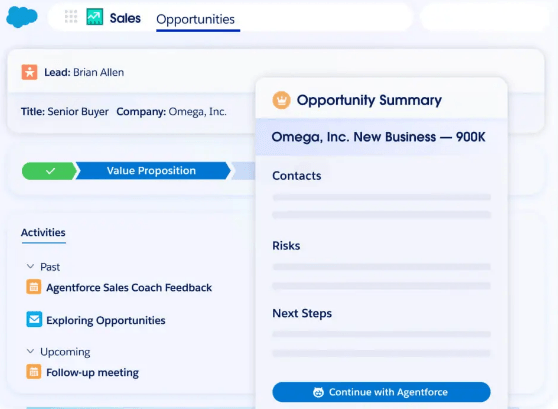
CRM platform offering a comprehensive suite of tools for sales, service, marketing, and analytics.
Key Features
- Extensive feature set with tools for sales, customer service, and marketing automation
- Customizable workflows and pipelines tailored to specific team needs
- Robust reporting and analytics tools for sales performance insights
- Integrations with a wide range of third-party applications
- Advanced AI features for predictive analytics and automation
Tradeoffs
- High cost, especially for small businesses or early-stage teams
- High learning curve and long setup times
- Customization often requires developer input, increasing complexity
- AI capabilities like Agentforce are add-ons layered onto the existing platform rather than built into the core architecture, meaning teams often need clean, well-maintained data before AI features deliver meaningful results
Pricing
Pricing starts at $25/user/month for the Essentials plan, with higher-tier plans offering more advanced features.
Best for
SaaS teams needing an enterprise-grade CRM with advanced features, customization, and integrations.
Bottom line
Salesforce is a scalable CRM for larger SaaS teams with complex needs, though its AI features work best when layered on top of already well-structured data rather than generating structure on their own.
3. Close CRM — Best for: Inside sales teams seeking integrated communication
What it is
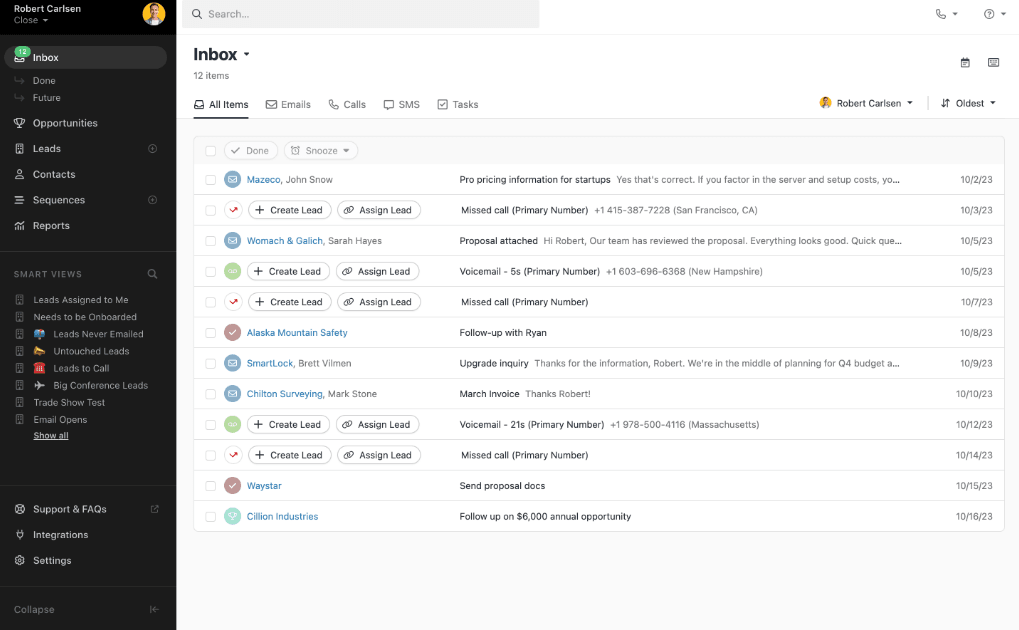
Sales-focused CRM that integrates calling, email, and task management for high-touch customer communication.
Key Features
- Integrated calling, SMS, and email for optimized communication
- Automated follow-up sequences and reminders
- Built-in reporting tools with real-time sales metrics
- Smart filters to prioritize leads and opportunities
- Full call logging and call recording for easy access to customer conversations
Tradeoffs
- Best suited for inside sales teams, not ideal for broader customer management
- Limited marketing automation features compared to other CRMs
- Some users report that setup can be time-consuming for complex workflows
Pricing
Starts at $29/user/month for the basic plan.
Best for
SaaS teams that want a CRM with flexible workflows, integrations, and scalable features.
Bottom line
Close CRM provides a communication-driven solution for sales teams.
4. HubSpot — Best for: SaaS teams that want a scalable CRM with automation and integration capabilities
What it is
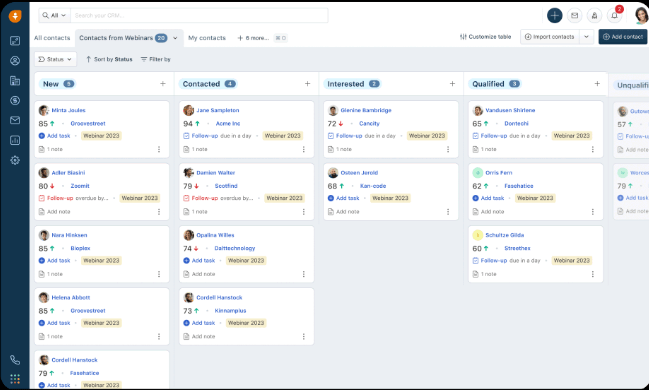
CRM platform that offers a full suite of sales, marketing, and customer service tools.
Key Features
- Scalable CRM suited for teams from startups to large enterprises
- Automation tools for lead nurturing, email workflows, and task management
- Extensive integrations with email, social media, and analytics platforms
- Advanced reporting tools that provide detailed insights into sales performance and customer behavior
- Customizable dashboards and pipelines for specific team needs
Tradeoffs
- The broad range of features is overwhelming for small teams
- Limited customization on lower-tier plans, requiring higher plans for more flexibility
- Heavy reliance on HubSpot's ecosystem, which can lead to vendor lock-in
- AI features like Breeze are positioned as assistants within the platform but function as bolt-on additions to a traditionally manual CRM, meaning the underlying system still depends on teams entering and maintaining data themselves
Pricing
Free core CRM available; the Starter CRM Suite (Sales + Service hubs) starts at $20/user/month (billed annually, 2-user minimum).
Best for
SaaS teams needing a CRM with automation and integration as they grow.
Bottom line
HubSpot offers a powerful all-in-one CRM solution with business growth tools, though its AI capabilities supplement existing workflows rather than fundamentally reducing the manual effort required to keep data current.
5. Attio — Best for: SaaS teams seeking a flexible, customizable data model
What it is
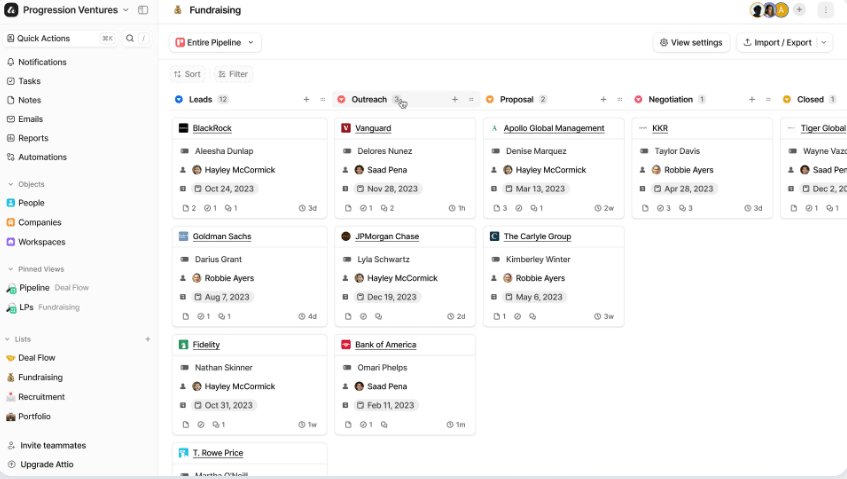
CRM platform that gives teams full control over their data, offering advanced customization and relationship management features.
Key Features
- Customizable data models that adapt to specific business needs
- Relationship management tools that track interactions across multiple touchpoints
- Advanced pipeline management with full control over stages and workflows
- Real-time collaboration features for teams
- Integrations with key tools like Google Workspace, Slack, and Zapier
Tradeoffs
- Customization requires a learning curve and can be complex for smaller teams
- Limited native reporting features; relies heavily on third-party integrations
- Lacks full automation capabilities compared to larger CRMs
- While Attio has introduced AI-powered features, they focus primarily on workflow automation and record enrichment rather than deeply understanding and structuring customer conversations — teams still need to define and maintain their data model manually
Pricing
No free plan. The Premium plan starts at $29 per user/month (billed annually).
Best for
SaaS teams that need a CRM with deep customization and relationship management tools.
Bottom line
Attio offers a flexible CRM with strong customization for teams focused on relationship management, though its AI is geared toward automating actions within user-defined structures rather than generating intelligence from raw customer interactions.
6. Zoho CRM — Best for: SaaS teams needing automation, customization, and multi-channel support
What it is
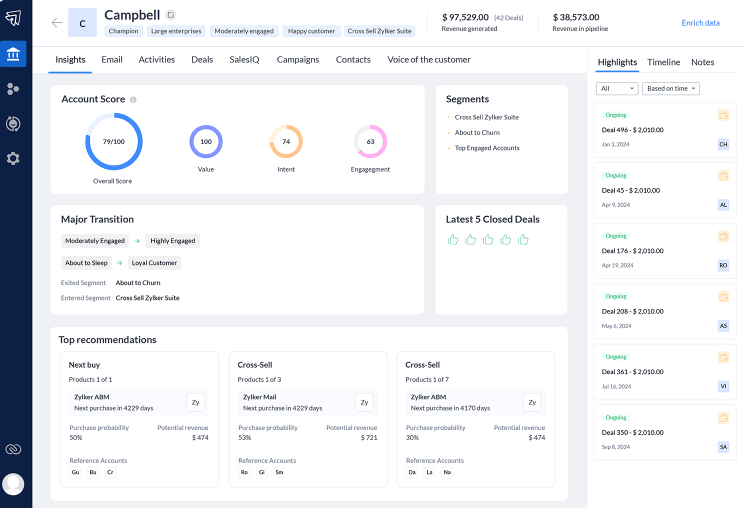
CRM platform offering sales automation, pipeline management, and extensive customization options.
Key Features
- Automation for lead generation, follow-ups, and task management
- Customizable dashboards, pipelines, and reporting
- Multi-channel communication through email, social media, and live chat
- Advanced segmentation and targeting tools
- Integration with a wide range of third-party applications and services
Tradeoffs
- Complexity can overwhelm smaller teams with simpler needs
- Advanced configuration and integrations often require technical expertise
- UI can feel cluttered with numerous options and settings
Pricing
Free plan with basic features; paid plans start at $14/user/month.
Best for
SaaS teams that want a CRM with flexible workflows, integrations, and scalable features.
Bottom line
Zoho CRM offers flexibility and scalability for small to mid-sized SaaS teams.
7. Monday CRM — Best for: Teams needing a visual, customizable CRM
What it is
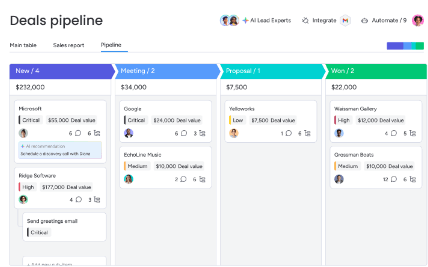
Visual CRM platform that offers pipeline management, automation, and collaboration features.
Key Features
- Customizable pipelines with drag-and-drop functionality
- Visual dashboards for clear sales insights and tracking
- Automation tools for lead management, follow-ups, and task assignments
- Real-time collaboration features for team coordination
- Integration with key tools like Gmail, Slack, and Zapier
Tradeoffs
- Visual design may not appeal to teams that prefer more traditional CRMs
- Can become complex with a large number of users or pipelines
- Pricing can be high for smaller teams or those with limited needs
Pricing
The Sales CRM product requires a core Monday.com plan. A usable setup typically starts at $22 per user/month (Standard core plan + CRM add-on, billed annually).
Best for
SaaS teams that need a flexible, visual CRM with workflow automation.
Bottom line
Monday Sales CRM offers customization and automation features for teams seeking a flexible CRM.
8. Freshsales (Freshworks CRM) — Best for: Teams looking for AI-driven insights
What it is
CRM platform that combines sales automation, lead management, and AI-driven insights to optimize workflows.
Key Features
- AI-powered lead scoring and predictive sales insights
- Integrated email, calling, and messaging for centralized communication
- Automated workflows for lead nurturing and follow-ups
- Customizable reporting and analytics for real-time sales tracking
- Integration with Freshworks' suite of tools and third-party apps
Tradeoffs
- AI capabilities is not as sophisticated as other specialized tools
- Can be overwhelming for teams with simple CRM needs
- Customization options require more technical setup for complex use cases
Pricing
The Growth plan starts at $15/user/month.
Best for
SaaS teams looking for an integrated CRM with AI-driven insights and simple sales automation.
Bottom line
Freshsales provides AI-driven insights, sales automation, and integrated communication tools for SaaS teams.
9. Copper — Best for: Google Workspace SaaS teams seeking a relationship-centric, low-friction CRM
What it is
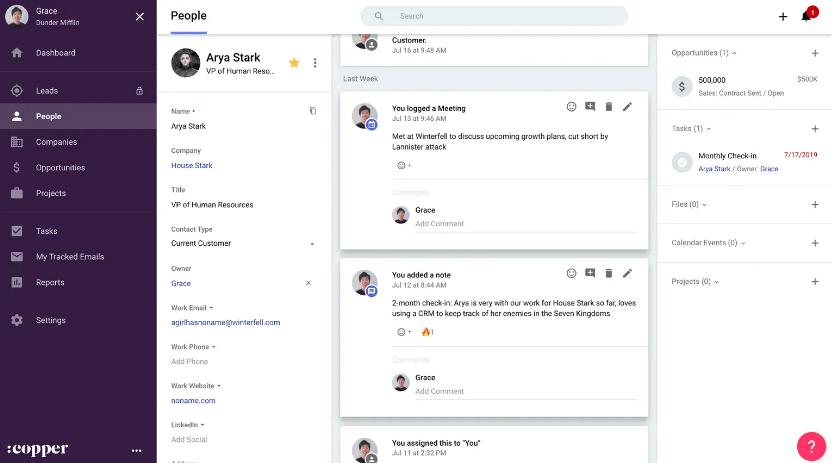
A native Google Workspace CRM designed to automate data entry and focus on managing relationships directly from Gmail and Google Calendar.
Key Features
- Automatic integration with Google Workspace for zero-click data entry
- Relationship-focused design that surfaces context on people and companies automatically
- Pipeline management with visual deal stages and tracking
- Automated logging of emails, meetings, and interactions without manual input
- Lightweight project and task management tied directly to contacts and deals
Tradeoffs
- Only viable for teams fully committed to Google Workspace
- Minimal marketing automation and app ecosystem
- Advanced reporting features are less robust than those of enterprise CRMs
Pricing
A free 14-day trial is offered. Paid plans start at $25 per user/month (Professional plan, billed annually).
Best for
SaaS teams using Google Workspace and want to automate contact and deal management with minimal disruption to their workflow.
Bottom line
Copper eliminates data entry friction by integrating with Google Workspace, making it ideal for SaaS teams focused on relationship management and simplicity.
10. Pipedrive — Best for: SaaS teams that need dedicated sales pipeline management
What it is
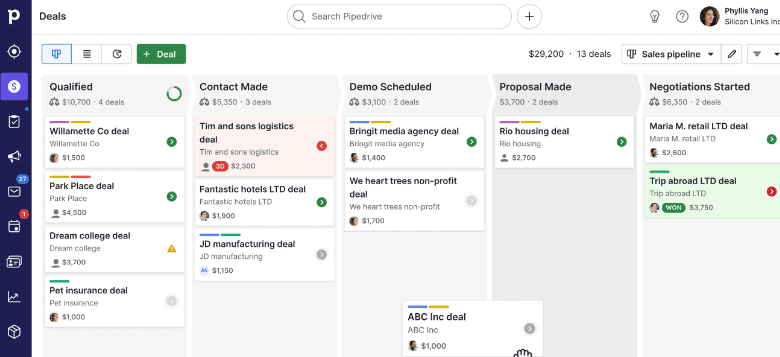
Sales-focused CRM that manages leads, deals, and pipelines through a visual interface.
Key Features
- Visual sales pipeline with drag-and-drop deal management
- Customizable stages to fit specific sales processes
- Workflow automation for follow-ups and task management
- Email integration for centralized communication tracking
- Sales reporting and activity tracking for performance insights
Tradeoffs
- Lacks advanced marketing automation features
- Reporting capabilities is basic compared to more robust CRMs
- May not scale well for larger teams with complex needs
Pricing
Starts at $14.90/user/month for the Essential plan (billed annually).
Best for
SaaS teams that need a CRM for managing sales pipelines and improving deal tracking.
Bottom line
Pipedrive provides a pipeline management solution for teams seeking a visual CRM to track leads and deals.
11. Folk CRM — Best for: Teams focused on relationship management and collaboration
What it is
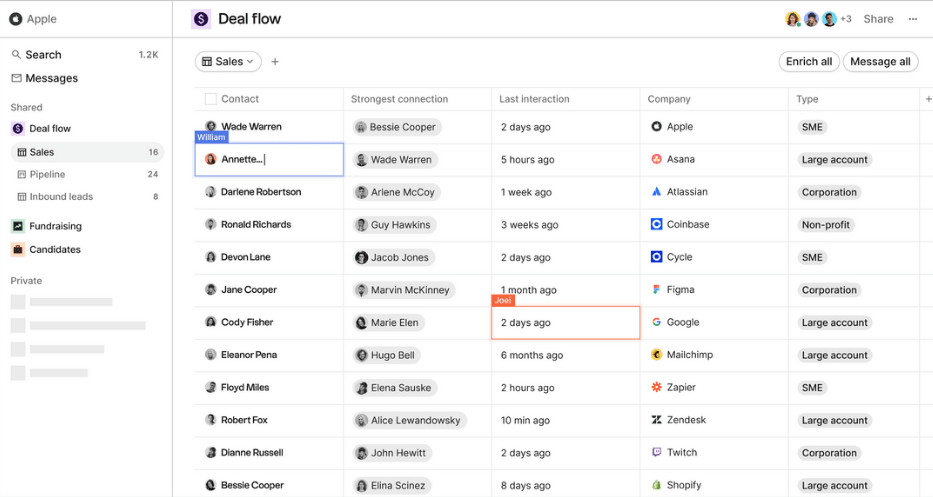
CRM tool that manages customer relationships through pipelines, tags, and collaboration tools.
Key Features
- Customizable pipelines for managing relationships
- Tagging and segmentation for organized customer categorization
- Collaboration tools for team communication
- Integrated email, calendar, and task management
- Real-time updates and notifications for team coordination
Tradeoffs
- Lacks advanced automation and reporting features compared to other CRMs
- Limited scalability for larger teams with more complex needs
- Fewer integrations with third-party apps compared to larger platforms
Pricing
Starts at $18 per user/month for the Professional plan (billed annually).
Best for
SaaS teams focused on lightweight relationship management and collaborative contact organization.
Bottom line
Folk CRM offers a simple, collaborative approach to managing contacts and relationships, though it lacks the deeper automation and reporting of more feature-rich platforms.
12. Zendesk Sell — Best for: Sales teams integrated with customer support
What it is
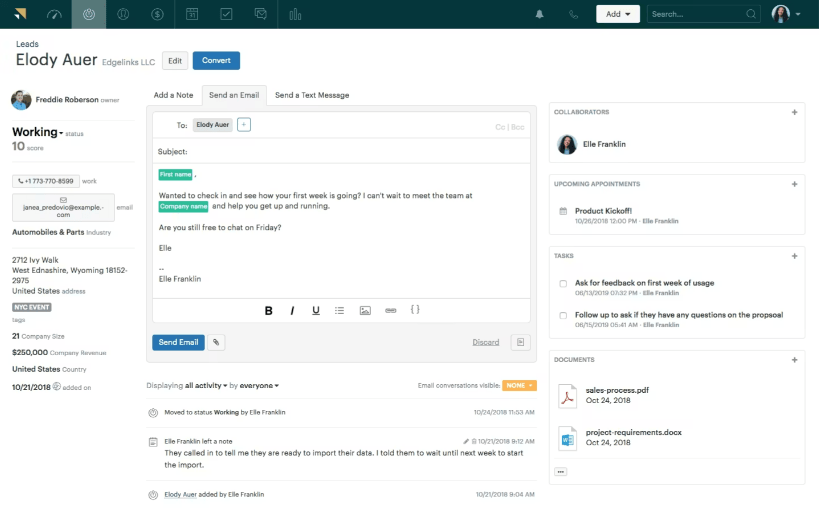
Sales-focused CRM that integrates with Zendesk's customer service tools, providing a unified platform for managing both sales and support processes.
Key Features
- Integration with Zendesk's support suite
- Workflow automation for lead management, follow-ups, and task assignments
- Customizable sales pipeline and reporting tools for tracking progress and performance
- AI-powered insights for lead scoring and sales forecasting
- Integration with third-party tools like Slack, Google Workspace, and Zapier
Tradeoffs
- Lacks some advanced customization features available in other CRMs
- Limited marketing automation capabilities compared to larger platforms
- Can become costly with advanced plans and additional features
Pricing
Starts at $19/user/month for the Team plan (billed annually).
Best for
SaaS sales teams that prioritize integrated deal tracking, CRM workflows, and visibility into customer interactions.
Bottom line
Zendesk Sell offers a CRM with sales pipeline management, automation, and integrated reporting.
13. Agile CRM — Best for: Teams needing an all-in-one sales, marketing, and support suite
What it is
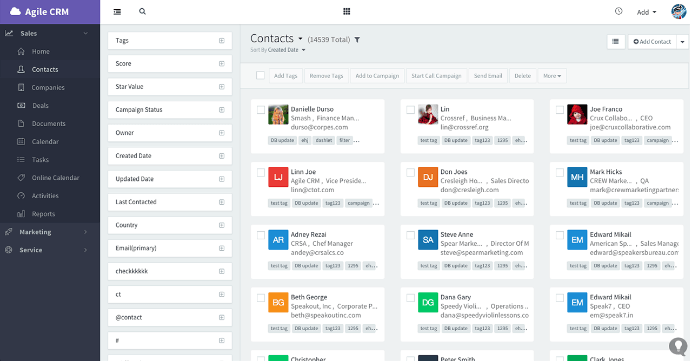
A unified CRM platform with sales automation, marketing workflows, and basic customer support tools in a single system.
Key Features
- Sales, marketing, and service automation in one platform
- Pipeline and contact management with lead scoring and segmentation
- Workflow automation for email campaigns and task sequences
- Integrated telephony and communication tracking
- Customizable dashboards and reporting tools
Tradeoffs
- Reporting and analytics less advanced versus enterprise CRMs
- Interface considered dated and less intuitive by some users
- Some features are incomplete without upgrading to higher pricing tiers.
Pricing
Free tier available. The practical starting point for a team is the Regular plan at $29.99 per user/month (billed annually).
Best for
SaaS teams that want a unified CRM with basic sales, marketing, and support automation in one package.
Bottom line
Agile CRM provides an accessible all-in-one CRM with sales and marketing automation.
Automate Your Workflows with Lightfield
For venture-backed SaaS teams, the biggest CRM problem isn't missing features — it's the gap between what the CRM knows and what the team can actually use. Most CRMs collect data but leave it to the team to log it, structure it, keep it current, and extract meaning from it.
Lightfield closes that gap. It captures every email, call, and meeting automatically, keeps pipeline data current without manual input, and makes the full history of customer interactions searchable and queryable in natural language. The AI doesn't just summarize — it generates action items, populates fields retrospectively, and gives any team member instant context on any account.
The result is a CRM that stays accurate, surfaces intelligence, and frees your team to focus on the conversations that drive growth — not the admin work around them.