10 Best Close CRM Alternatives for Simplified Sales Management

Matt Serna
Quick Summary
Close CRM alternatives serve various needs, from automation for founder-led teams to workflows for enterprises. These tools reduce manual updates and keep pipelines current.
Close CRM alternatives serve various needs, from automation for founder-led teams to workflows for enterprises. These tools reduce manual updates and keep pipelines current.
Here are our top three picks:
| Tool | Best For | Why Teams Pick It |
|---|---|---|
Lightfield | Founder-led sales teams | Auto-captures emails, meetings, and follow-ups without setup or manual upkeep. |
Salesforce Sales Cloud | Large teams and enterprises | Deep customization and scalability for complex sales processes. |
Pipedrive | Sales teams | Pipeline with drag-and-drop deal tracking. |
Looking for the Right Close CRM Alternative?
Close CRM suits outbound-heavy teams but doesn’t fit all. Some teams need less upkeep, others need deeper automation or improved pipeline visibility.
This Lightfield guide breaks down the best Close CRM alternatives, each with a specific set of strengths for each workflow.
Why Teams Look for Close CRM Alternatives
Close covers basic workflows, but friction arises as teams scale. Users on G2 report limitations in automation depth and integrations, calling and mobile features, and reporting flexibility. These recurring issues explain why some teams start seeking alternatives:
1. Missing Core Features Limits Value
Close tracks core sales activity, but users note that missing essential features like inbox management and SMS options impact usability. This often leads teams to add third‑party tools, increasing context switching and cost.
From G2 reviews:
- Missing features drive up total cost with third-party tools
- Teams seeking all-in-one CRM find this undermines ROI
For founder-led teams, fragmented tooling means more context switching, higher spend, and time lost stitching systems together instead of closing deals and following up.
2. Calling and Mobile Experience Fall Short
Some users report call quality issues and limits on where and how calls can be placed, particularly outside traditional desktop use.
From G2 reviews:
- Call quality can be inconsistent during high usage
- Mobile app lacks parity with desktop features
Poor mobile support leads to missed calls, delayed follow-ups, and lost momentum between meetings.
3. Reporting and Customization Issues
While Close provides basic reporting, some teams find customization and deeper analytics limited relative to reporting needs at scale. Users describe extra steps or exports required for detailed insights.
From G2 reviews:
- Reporting customization feels shallow for growing teams
- Advanced insights require manual exports
Weak reporting can result in last-minute spreadsheet rebuilds when investors ask basic pipeline questions.
The 10 Best Close CRM Alternatives
| Tool | Best For | Setup Effort | Automation Level |
|---|---|---|---|
Lightfield | Founder-led teams who want CRM to run itself | Very low | Very high |
Salesforce Sales Cloud | Large teams and enterprises needing to handle complex sales workflows | High | High |
HubSpot CRM | Teams looking for an all-in-one CRM | Medium | High |
Freshsales | Lead follow-ups and deal tracking | Low | High |
Zoho CRM | Teams needing a broad CRM with high configurability | High | High |
Pipedrive | Teams wanting a sales-focused CRM with visual pipeline management | Medium | Medium |
ActiveCampaign | Email-driven outreach and automated nurturing | Low | Very high |
Pipeline CRM | Pipeline visibility with minimal workflow management | Low | Medium |
SmartReach.io | Sales teams focused on email outreach and automated prospecting efforts | Low | High |
Salesmate | Teams wanting a straightforward CRM to track deals and sales activities | Low | Medium |
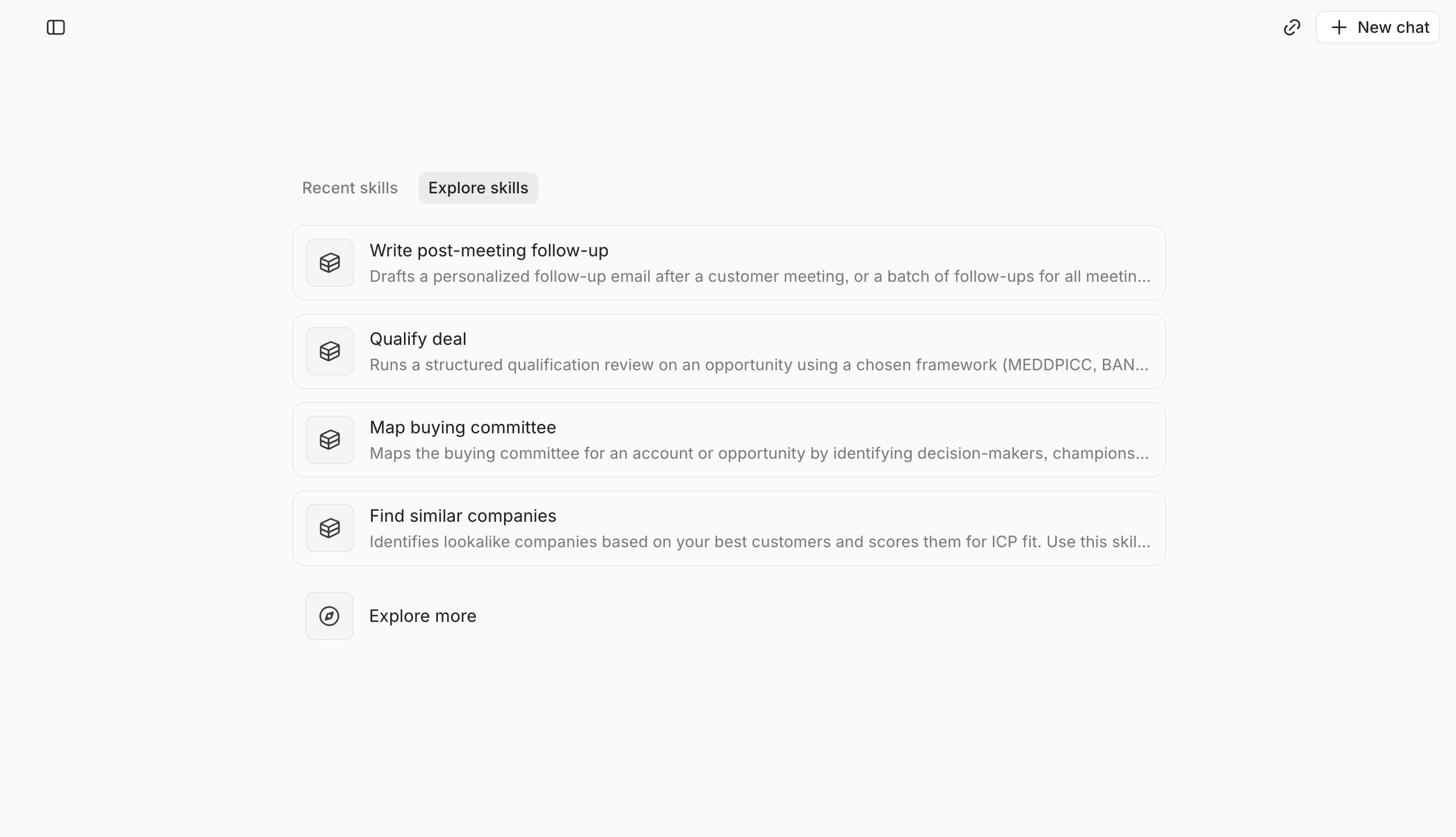
1. Lightfield — Best for founder-led teams that wants a CRM that runs itself
What it is
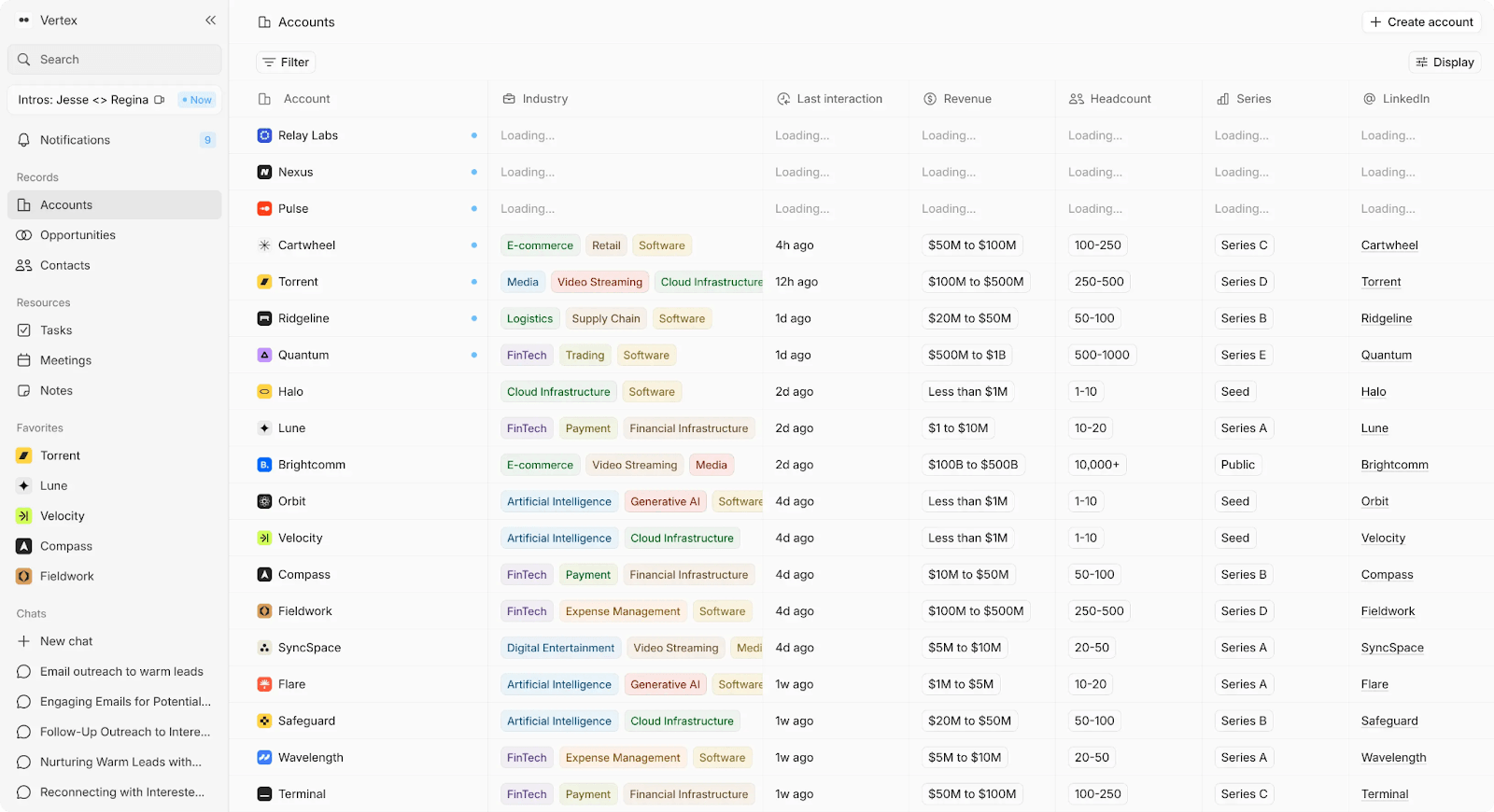
AI-native CRM that captures emails, meetings, and calls, converts them into structured records, and maintains up-to-date pipeline data without manual input.
Key Features
- Auto-captures emails, meetings, and calls into CRM records without manual entry
- Built-in call recording tied directly to contacts, accounts, and opportunities
- Schema-less data model that adapts over time without losing history
- AI chat across all customer data with source-level citations
- Automatic follow-ups and task creation from conversations
- Personalized outbound emails generated from a prospect’s own words
Tradeoffs
- Less suited for teams that prefer heavy manual schema or workflow configuration
- Newer platform with a smaller volume of public reviews
Pricing
14-day free trial, then $89/user/month. Up to 3 users.
Larger teams doing more complex agentic work can move to a team plan with unlimited viewer seats.
Best for
Founder-led teams running 10+ meetings per week who want less CRM upkeep and fewer workflows to manage.
Bottom line
CRM stays current by capturing real sales activity, eliminating the need for manual updates.
2. Salesforce Sales Cloud — Best for large teams and enterprises that need to support complex workflows
What it is
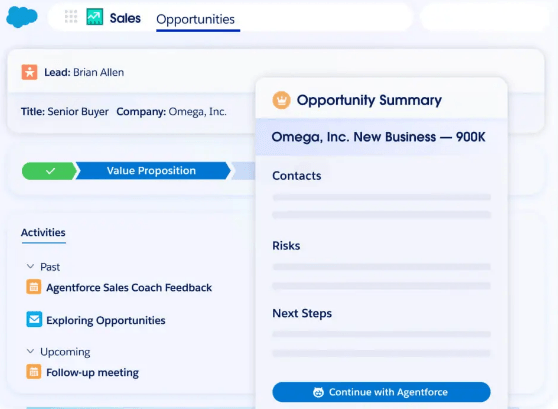
CRM that manages the entire sales process with customization, automation, and integration to scale with growing teams.
Key Features
- Customizable dashboards, reports, and workflows
- Advanced automation for repetitive tasks and personalized customer journeys
- Deep integrations with a wide range of third-party tools and services
- AI-powered insights with predictive analytics to guide decision-making
- Robust customer and pipeline management tools for large teams
Tradeoffs
- Can be overwhelming for smaller teams due to complexity and steep learning curve
- Requires significant configuration and maintenance for maximum efficiency
- Higher cost compared to other CRM solutions, especially for smaller teams
Pricing
30-day free trial, then starts at $25 per user, per month. Scaleup tier with custom pricing.
Best for
Teams and enterprises that need a highly customizable CRM to handle complex sales processes and large volumes of data.
Bottom line
Salesforce's scalability compensates for its complexity. A CRM that grows with your team.
3. HubSpot CRM — Best for teams that want sales, marketing, and follow-ups managed in one system
What it is
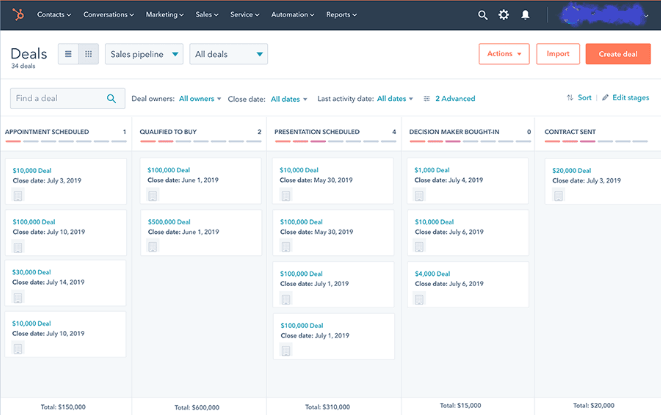
CRM that tracks leads, automates follow-ups and tasks, and integrates with HubSpot tools for sales tracking.
Key Features
- Customizable dashboards and reports to track key sales metrics
- Advanced email automation and sequences for lead nurturing
- Integration with other HubSpot tools and third-party apps
- Effective contact and pipeline management tools for sales teams
- Built-in calling and email tracking
Tradeoffs
- Limited customization for advanced workflows compared to more robust CRMs
- Can become costly as you scale, especially when upgrading for additional features
- Feature bloat can overwhelm smaller teams
Pricing
30-day free trial, then starts at $40 for two users, with more expensive tiers for additional features.
Best for
Small to medium-sized teams looking for an all-in-one CRM with automation and easy setup.
Bottom line
Simplifies CRM management with easy setup and automation. See HubSpot CRM alternatives for a list of other options.
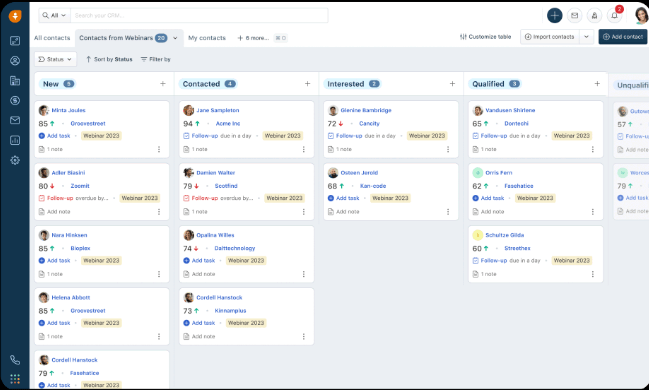
4. Freshsales (Freshworks CRM) — Best for small to mid-sized teams that want faster follow-ups and structured deal tracking
What it is
Sales CRM with automation, lead scoring, and AI-driven insights to simplify the sales process.
Key Features
- Customizable sales pipelines and workflows
- Built-in email, phone, and chat integration
- AI-powered lead scoring and activity tracking
- Automated task assignment and follow-ups for sales reps
- Comprehensive reporting and analytics to measure sales performance
Tradeoffs
- Fewer advanced features compared to larger, more customizable CRMs.
- Some users report occasional delays in syncing data between tools
- Basic reporting may not be enough for more complex sales teams
Pricing
21-day free trial, then starts at $15/month per user, with additional features available at higher tiers.
Best for
Small to mid-sized teams seeking a straightforward CRM with automation to simplify sales processes.
Bottom line
Sales workflow with automation that optimizes team processes.
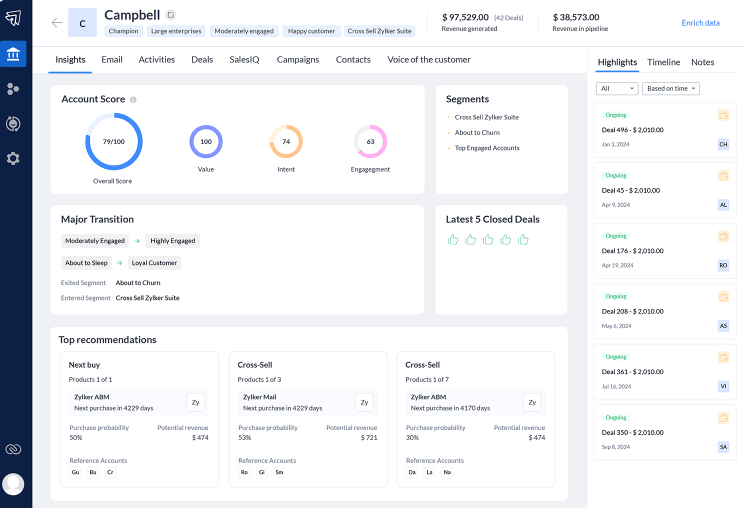
5. Zoho CRM— Best for teams that want broad CRM coverage with high configurability
What it is
Full-suite CRM with sales, marketing, and support modules, covering a wide range of GTM use cases on a single platform.
Key Features
- Configurable fields, modules, and workflows
- Built-in automation for lead routing and deal progression
- Native email, calling, and activity tracking
- Integration ecosystem across Zoho and third-party tools
- Reporting and dashboards with custom views and filters
Tradeoffs
- Integration setup can be complex and may require technical support
- Customization requires significant time to fully configure for specific workflows
- Advanced features are spread across multiple Zoho products, increasing overall cost
Pricing
Free plan available. Paid plans start around $14/user/month, with higher tiers unlocking automation and analytics.
Best for
Teams that want a configurable CRM with wide functional coverage.
Bottom line
Broad CRM coverage with deep configuration, optimized for teams that prefer control over speed.
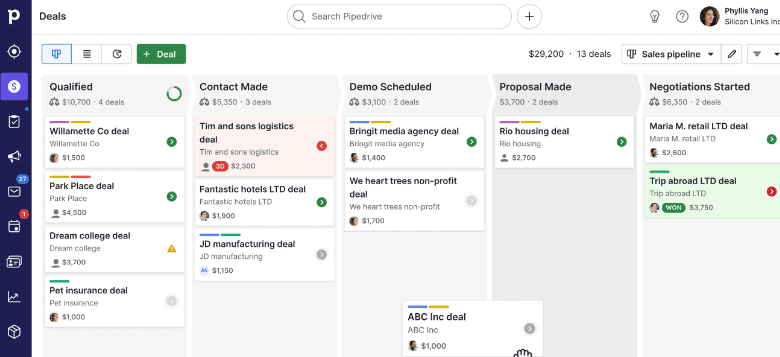
6. Pipedrive— Best for teams needing a sales-focused CRM with a pipeline management system
What it is
Sales CRM that optimizes deal tracking with a visual pipeline and basic automation.
Key Features
- Visual sales pipeline for easy deal tracking and management
- Drag-and-drop interface
- Built-in email and call tracking to keep communication organized
- Activity reminders and task automation for follow-up consistency
- Customizable reporting and dashboards to track key sales metrics
Tradeoffs
- Limited advanced features for customization and reporting
- Basic workflow automation compared to similar CRMs
- Lacks robust integrations with popular third-party tools
Pricing
Starts at $12.50/user/month for the Essential plan, with higher tiers offering additional features.
Best for
Teams that need a CRM focused on deal tracking and basic sales automation.
Bottom line
Teams that need a CRM focused on deal tracking and basic sales automation.
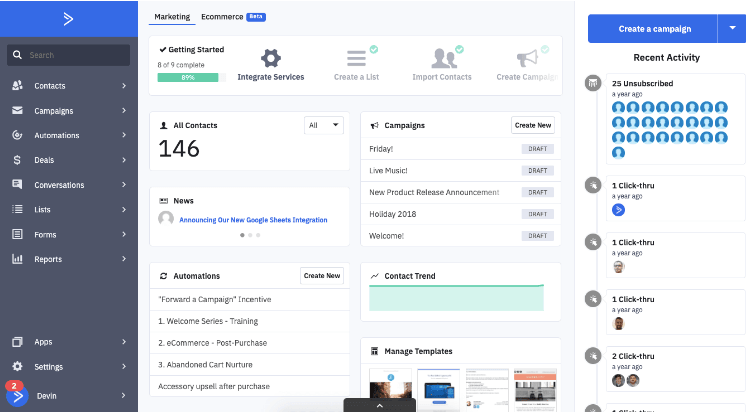
7. ActiveCampaign— Best for teams wanting email-driven follow-ups and automated nurturing
What it is
CRM that integrates email marketing, automation, and sales pipeline management with advanced segmentation and personalized outreach.
Key Features
- Robust email marketing automation with advanced segmentation
- Built-in CRM with pipeline management and task automation
- Dynamic, personalized email campaigns based on customer behavior
- Lead scoring to prioritize high-value prospects
- Detailed reporting and analytics for campaign performance tracking
Tradeoffs
- More focused on email marketing than traditional CRM functions
- Advanced features are gated behind higher pricing tiers
- Setup and automation can take time to fully optimize
Pricing
Starts at $9/month for the Lite plan, with higher tiers offering more advanced features and automation.
Best for
Teams seeking a CRM that integrates email marketing and automation for targeted outreach.
Bottom line
Email automation and segmentation that integrates sales and marketing.
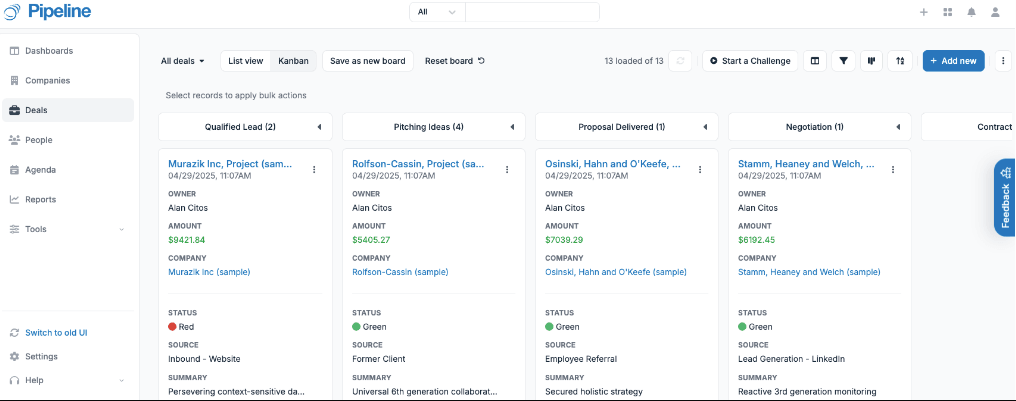
8. Pipeline CRM— Best for teams seeking clear pipeline visibility
What it is
CRM that optimizes sales processes with a visual pipeline, task management, and collaboration tools.
Key Features
- Visual sales pipeline to track deal stages and progress
- Task and activity management for keeping sales reps on track
- Customizable fields and views to tailor the CRM to your needs
- Real-time collaboration features for team communication and updates
- Integration with popular tools like Gmail, Outlook, and Zapier
Tradeoffs
- Limited automation features compared to more advanced CRMs
- Basic reporting and analytics for tracking sales performance
- Lacks in-depth customization for larger, more complex teams
Pricing
Starts around $25–$29 per user per month, with higher tiers around $33–$49 per user per month depending on plan and features.
Best for
Small to mid-sized teams that need a straightforward CRM to manage deals and track sales activities.
Bottom line
Optimized CRM that keeps sales teams organized and focused on deals, without added complexity.
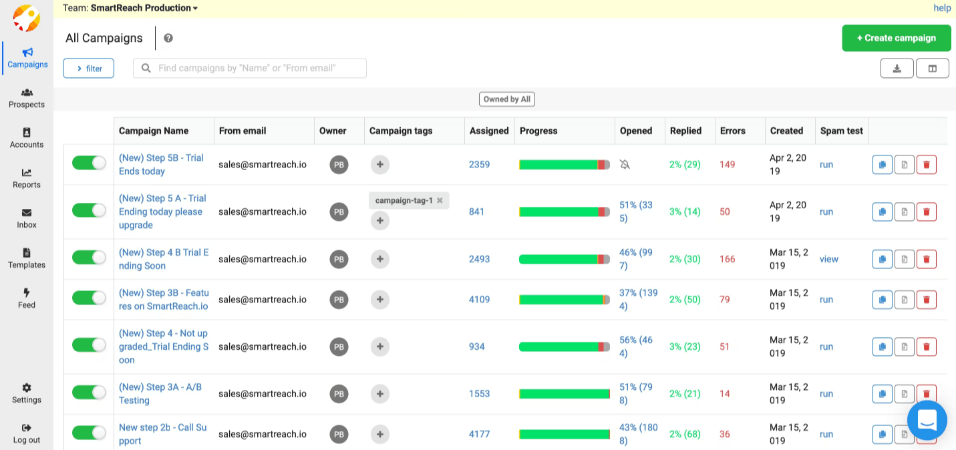
9. SmartReach.io— Best for teams focused on email outreach and automation
What it is
An outreach platform that automates and personalizes cold email campaigns, using advanced email sequencing and tracking to reach prospects.
Key Features
- Automated email sequences for personalized outreach
- Detailed email tracking and analytics to measure campaign success
- A/B testing for subject lines, messages, and campaigns
- Advanced follow-up scheduling to ensure consistent outreach
- Integration with CRM and third-party tools to sync contacts and data
Tradeoffs
- Limited CRM functionality, mainly focused on email outreach
- Lacks broader sales management features like pipeline tracking
- Best suited for outbound teams, not those needing comprehensive CRM tools.
Pricing
Starts at $29/month, with higher tiers for advanced features and integrations.
Best for
Sales teams looking to optimize their cold email outreach with advanced automation and tracking.
Bottom line
Automates email outreach, effective for personalized prospecting.
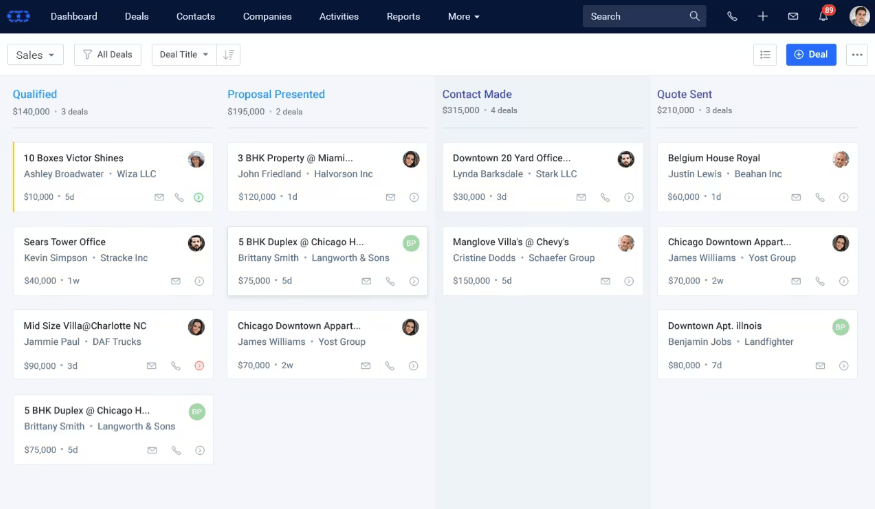
10. Salesmate — Best for teams that want a clear view of sales progress
What it is
CRM that tracks leads and deals while automating routine sales tasks to support day-to-day execution.
Key Features
- Customizable sales pipeline to manage deals through various stages
- Automated workflows for task assignment, follow-ups, and reminders
- Built-in email and call tracking for complete communication history
- Detailed reporting and dashboards to monitor sales performance
- Integration with Gmail, Outlook, Zapier, and other third-party tools
Tradeoffs
- Limited advanced features for larger or highly complex teams
- Reporting options may feel basic for teams needing deep data analysis
- Some users report occasional syncing issues with third-party tools
Pricing
Starts at about $23 per user per month for the Basic plan, with higher tiers offering more advanced features and automation.
Best for
Small to mid-sized teams that need a straightforward CRM to manage deals and track sales activities.
Bottom line
Salesmate tracks deals and automates tasks to keep sales teams focused on execution.
Simplify Your Sales Pipeline with Lightfield
Close alternatives provide varying levels of automation and customization. However, they may not be the best solutions for founder-led teams. These tools often require extensive manual input, complex setup, and ongoing maintenance, which can be time-consuming for smaller teams focused on scaling.
Lightfield simplifies this by automatically capturing sales activity, including emails, meetings, and calls, and keeping your pipeline up to date without manual input. This allows founders to focus on growth, not CRM management.