11 Best Attio Alternatives to Try in 2026

Matt Serna
Quick Summary
Attio is a strong modern CRM, but it isn't the right long-term fit for every team. As activity scales, founders and sales leaders often want less manual configuration, fewer workflows to manage, and more automation that runs quietly in the background.
Here are our top three picks:
| Tool | Best For | Why Teams Pick It |
|---|---|---|
Lightfield | Venture-backed startups | Auto-captures emails, meetings, and follow-ups without setup or manual upkeep. |
Folk | Solopreneurs and small consultancies | Lightweight CRM for relationship tracking and simple outreach. |
Breakcold | Outbound and social-selling teams | Automates follow-ups and pipeline movement across email and social channels. |
Finding the Right Attio Alternative
Attio ticks many boxes for founders looking for a modern CRM that feels lighter than HubSpot or Salesforce. It's flexible, customizable, and familiar to teams coming from tools like Notion.
But teams don't look for Attio alternatives for just one reason. Some run into friction as activity scales and upkeep increases. Others hit limits around workflows, integrations, enrichment, pricing, or reliability. For some, Attio demands more configuration than they want to manage.
This Lightfield guide breaks down 11 alternatives built for different needs.
Why Teams Look for Attio Alternatives
Attio earns its reputation for flexibility and modern design. Many teams choose it because it avoids the bloat of legacy CRMs. But as teams spend more time inside the product, clear patterns emerge.
We asked our AI agent in Lightfield to analyze 50 customer conversations from former Attio users to understand what friction points people face. We identified a few common trends.
1. Manual Work Never Goes Away
The most common complaint is that Attio still requires constant manual updating of records, deal stages, tasks, and metadata — exactly the CRM drudgery teams hoped to escape. Founders describe spending time on upkeep rather than selling. From customer conversations:
"It pushes a lot of the burden to you to really implement it. And I'd rather spend our engineers' time on product than write this little bot that looks at our usage column." — Founder, fintech startup
"I have to do all the work and I don't get much in the way of assistance." — Founder, AI compliance startup
For founder-led teams, time spent configuring and maintaining a CRM is time not spent in conversations, follow-ups, or closing deals.
2. AI Features Don't Deliver on the Promise
Despite being marketed as modern, Attio's AI features are perceived as shallow or non-existent in practice. Users can't query their data, get insights, or automate intelligently.
From customer conversations:
- "Attio really isn't that smart at all." — Founder, AI compliance startup
- "Attio is failing in this part in terms of actually getting a summarized view like what's going on in each deal." — VP of Sales, AI analytics company
Teams expect a next-gen CRM to surface intelligence from the data it holds. When it doesn't, they resort to copying information into ChatGPT or building workarounds in Google Sheets.
3. Good for Tracking, Not for Thinking
Attio works as a system of record, but it doesn't help users understand what's happening in their pipeline, forecast, or make decisions.
From customer conversations:
- "If I look at a record in Attio I know next to nothing about it in truth. Like I go there, the data is old." — Sales lead, AI analytics company
- "Attio has some really rigid reports. So I've created a Google Sheets script that pulls stuff from Attio, shows it exactly what we want. There's a lot of workarounds." — Head of CS, AI dev tools company
Teams don't want a database — they want a tool that helps them act on what the data means.
4. Complexity Is Prohibitive for Lean Teams
Attio's flexibility is a double-edged sword. For small, founder-led teams without dev ops resources, the setup burden is prohibitive. Multiple users compare it to building from scratch rather than getting a purpose-built tool.
From customer conversations:
"I had heard of Attio. I stayed away from it… what I was reading is that it's kind of like Monday.com — you can build a lot of different things in it. And I wanted something that was purpose built." — Founder, AI sales agency
"We're on Attio… I think from what I observe, they've abandoned it. And now just use spreadsheets because it's been too challenging." — COO, AI security startup
5. Pricing Climbs Fast With Scale
Per-seat pricing becomes painful as teams grow. Companies gate access to Attio because adding seats is too costly, and core features like call recording are locked behind higher tiers.
From customer conversations:
"Attio is getting expensive. We hired two new salespeople, we added their seats and were like, oh, this is expensive… the main pain point right now is it's expensive and it's probably just going to get more and more expensive as we scale." — Head of CS, AI dev tools company
"Right now it's all very gated because it's expensive to add more seats. So we haven't been able to add many people." — Head of CS, AI dev tools company
Teams don't want to pay more or configure more just to remove friction.
6. Poor Integrations Force a Fragmented Stack
Users end up cobbling together Attio + Granola + Clay + Zapier + Google Sheets + OneDrive, creating brittle and expensive workflows.
From customer conversations:
"My Zapier stuff is like insane… disgusting. I have so many really rigid workflows — if this then this, if this is missing do this. I'm not that exacting, but I feel like right now I have to be super exacting." — Head of CS, AI dev tools company
7. Overall Disappointment vs. Expectations
Buyers expected a next-gen CRM and got a slightly better spreadsheet. The gap between marketing promise and product reality creates disappointment.
From customer conversations:
"I thought Attio was going to be a solution… I thought it was all right, but it wasn't anything revolutionary, which was what was promised." — Founder, AI marketing startup
"We want to get out of Attio as quickly as possible." — Investor, early-stage VC fund
The 11 Best Attio Alternatives
| Tool | Best For | Setup Effort | Automation Level |
|---|---|---|---|
Lightfield | Founder-led sales teams who want CRM to run itself | Very low | Very high |
Folk | Solopreneurs and consultants | Very low | Low–medium |
Breakcold | Outbound and social selling | Low | High |
Salesflare | SMB sales teams | Low | Medium |
Pipedrive | Structured sales teams needing visual pipelines | Medium | Medium |
Affinity | VC/PE deal flow and relationship intelligence | Medium | High |
HubSpot | Small teams wanting conventional CRM structure | Medium | Medium |
Zoho CRM | Budget-conscious teams needing breadth | High | High |
Close CRM | Outbound-heavy teams with built-in calling | Low | High |
Airtable (CRM-style) | Ops-heavy teams building custom systems | High | Low |
Notion (CRM templates) | Very early founders / solo operators | High | Very low |
1. Lightfield — Best for: Founder-led teams that want CRM to run itself
What it is
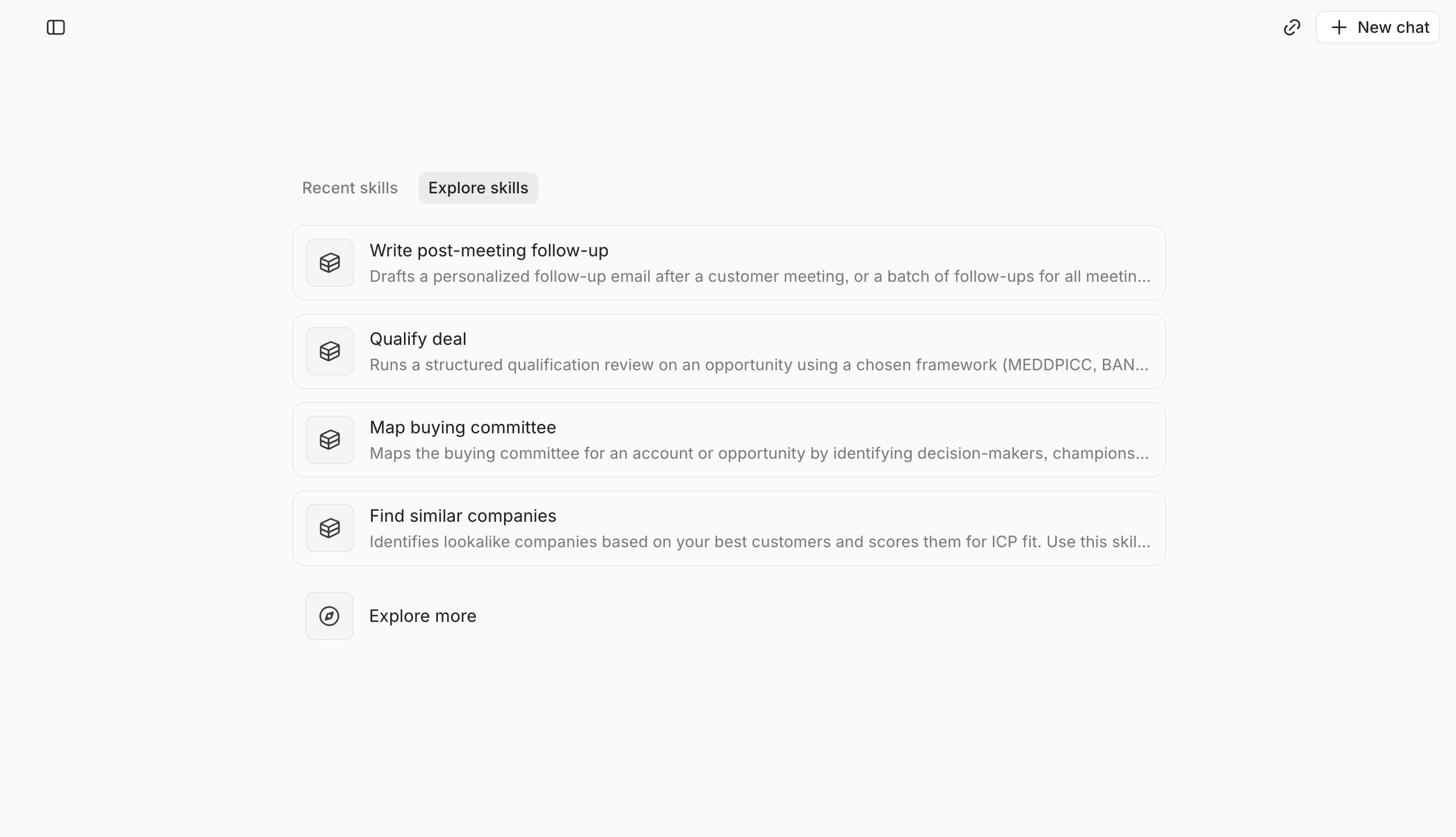
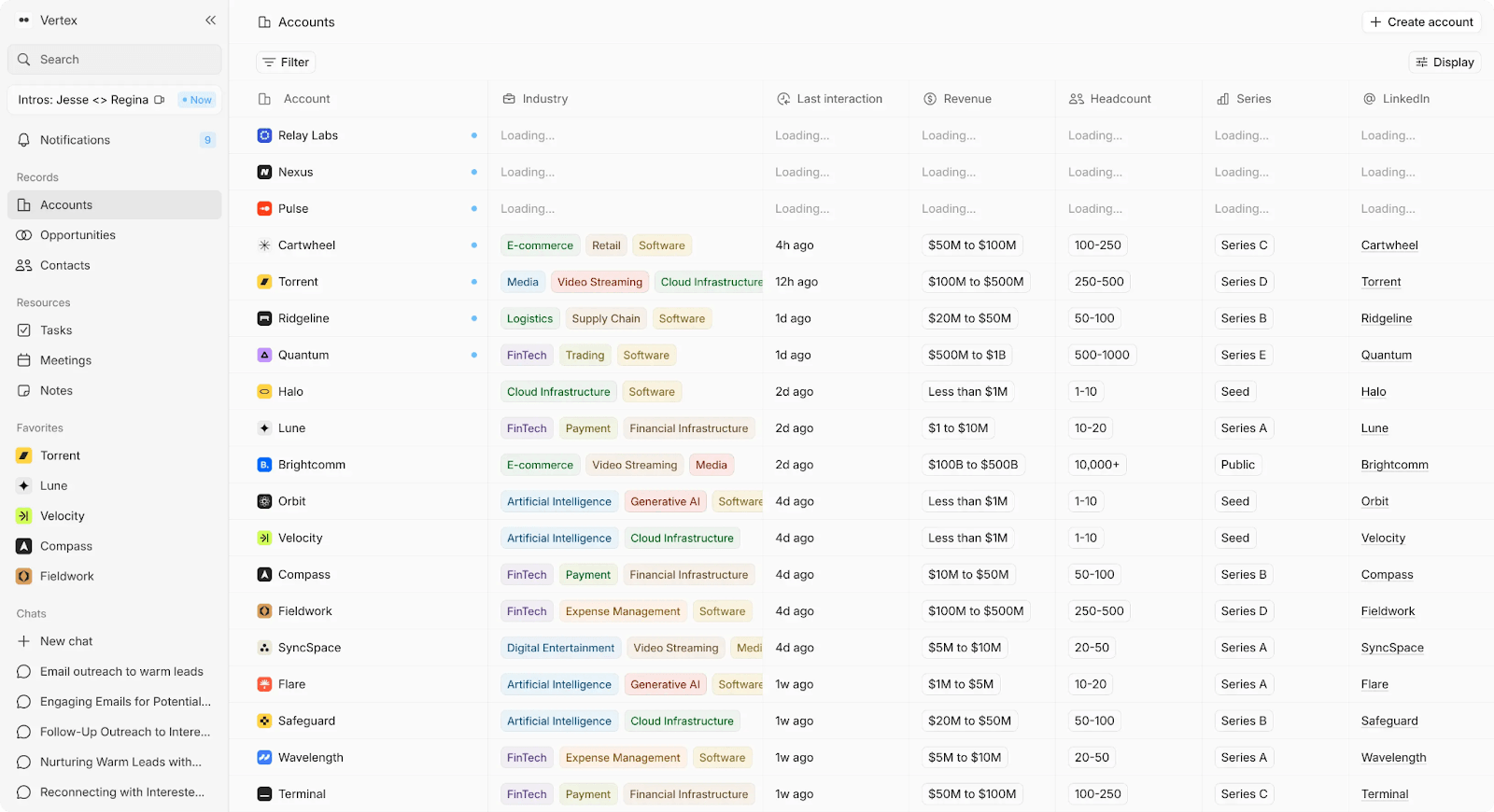
AI-native CRM that captures emails, meetings, and calls and turns them into structured CRM data — without manual entry, workflow configuration, or ongoing upkeep.
The complaints teams have about Attio — too much manual work, shallow AI, no real intelligence, complexity that doesn't pay off — are the exact problems Lightfield was built to eliminate. Instead of asking founders to design schemas, build automations, and maintain data hygiene, Lightfield observes real sales activity and keeps the CRM current automatically.
Key Features
- Auto-captures email, calendar, and meeting data to create and update accounts, contacts, and opportunities — no manual input required
- Built-in call recording with summaries and action items, included at every tier
- CRM records update continuously as conversations happen, so data never goes stale
- Natural language search across all customer history with citations — no need to copy notes into ChatGPT
- Full account context available to new team members immediately, eliminating onboarding delays
- Flexible data structure that doesn't require the upfront modeling or "visual programming" that makes Attio feel like building from scratch
Tradeoffs
- Not for teams that want deep manual customization of schemas or workflows
- Newer platform with limited integration ecosystem
Pricing
14-day free trial, then $89/user/month. Up to 3 users.
Larger teams doing more complex agentic work can move to a team plan with unlimited viewer seats.
Best for
Venture-backed startups running 10+ meetings per week who want fewer workflows to manage and less time spent on CRM hygiene. Especially relevant for teams currently spending more time maintaining Attio than selling.
Bottom line
Where Attio asks teams to build and maintain their own CRM logic, Lightfield assumes the CRM should do that work itself. Records stay current by observing real sales activity — not by relying on manual input or brittle Zapier workflows.
2. Folk — Best for: Solopreneurs and consultants wanting lightweight relationship tracking
What it is
Lightweight CRM focused on contact management and simple outreach.
Key Features
- Fast setup with minimal configuration
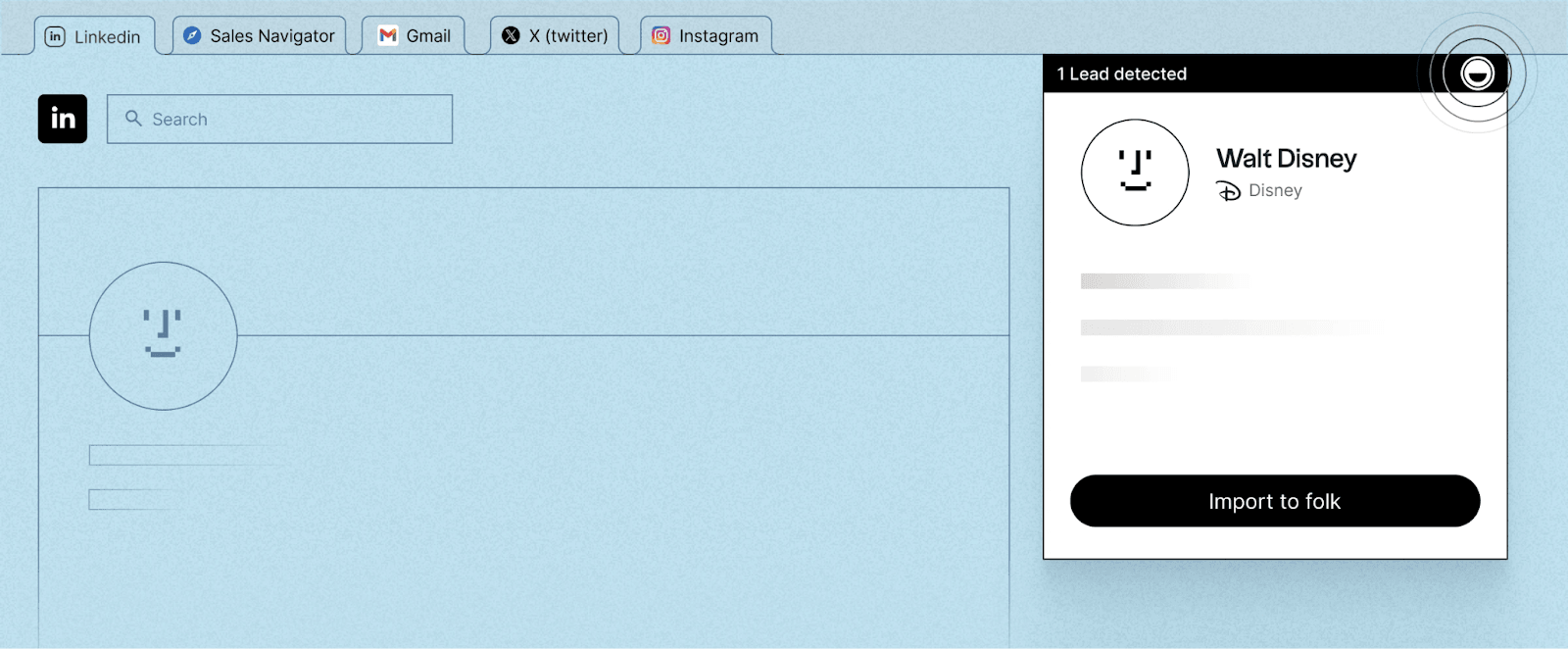
- LinkedIn contact capture via FolkX Chrome extension
- Integrated notes, reminders, and email tracking
- Built-in contact enrichment without external tools
- Interface that feels closer to a personal assistant than a traditional CRM
Tradeoffs
- Limited reporting and analytics compared to structured CRMs
- Not designed for complex workflows or pipeline-heavy sales motions
- Email marketing and campaign features are intentionally basic
Pricing
Standard $24/user/month. Premium $48/user/month. Enterprise from $80/user/month. All billed annually.
Best for
Teams that want immediacy and simplicity over flexibility and configuration.
Bottom line
Trades Attio's flexibility for speed. CRM that stays out of the way.
3. Breakcold — Best for: Outbound and social-selling teams
What it is
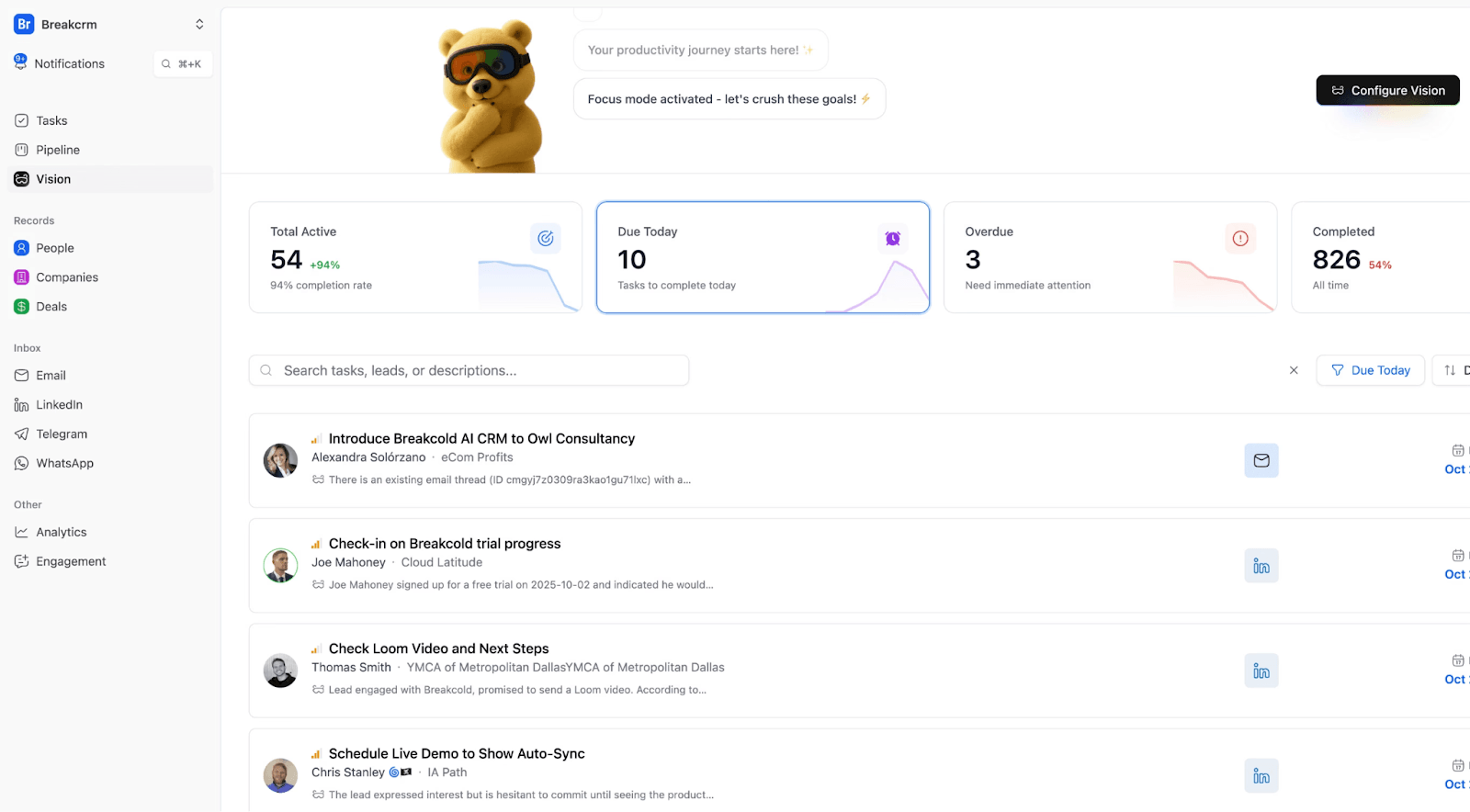
CRM designed to automate outreach across email and social channels.
Key Features
- Social selling workflows built around LinkedIn
- Automatic lead movement and task creation based on interactions
- Unified inbox for email and social conversations
- Built-in meeting recording, summaries, and enrichment
- Fast setup with smaller learning curve than traditional CRMs
Tradeoffs
- LinkedIn reliance can lead to occasional disconnects or limits
- Some users note usage caps across channels
- Advanced CRM reporting and customization are limited
- Occasional bugs reported by heavy daily users
Pricing
Essentials from $29/user/month. Pro from $59/user/month. Max from $99/user/month.
Best for
Teams running high-volume outbound who want the CRM to actively push sales forward.
Bottom line
Automates follow-ups and pipeline movement instead of waiting for manual updates.
4. Salesflare — Best for: SMB teams wanting zero-input CRM updates
What it is
CRM that auto-captures emails, meetings, and interactions to keep pipelines current.
Key Features
- Automatic email, calendar, and activity tracking
- Visual sales pipelines with proactive follow-up reminders
- Strong Gmail, Outlook, and LinkedIn integrations
- Minimal setup and fast team adoption
- Built-in lead enrichment and relationship insights
Tradeoffs
- Limited advanced customization compared to enterprise CRMs
- Reporting and dashboards less flexible for deep analytics
- Fewer native integrations; some reliance on Zapier
- Mobile app less full-featured than desktop
Pricing
Growth from $29/user/month. Pro from $49/user/month. Enterprise from $99/user/month.
Best for
Teams deciding between flexibility and automation who want the CRM to stay accurate with minimal effort.
Bottom line
Assumes most sales teams want the same fundamentals and focuses on keeping them accurate.
5. Pipedrive — Best for: Sales teams wanting visual pipelines and follow-up discipline
What it is
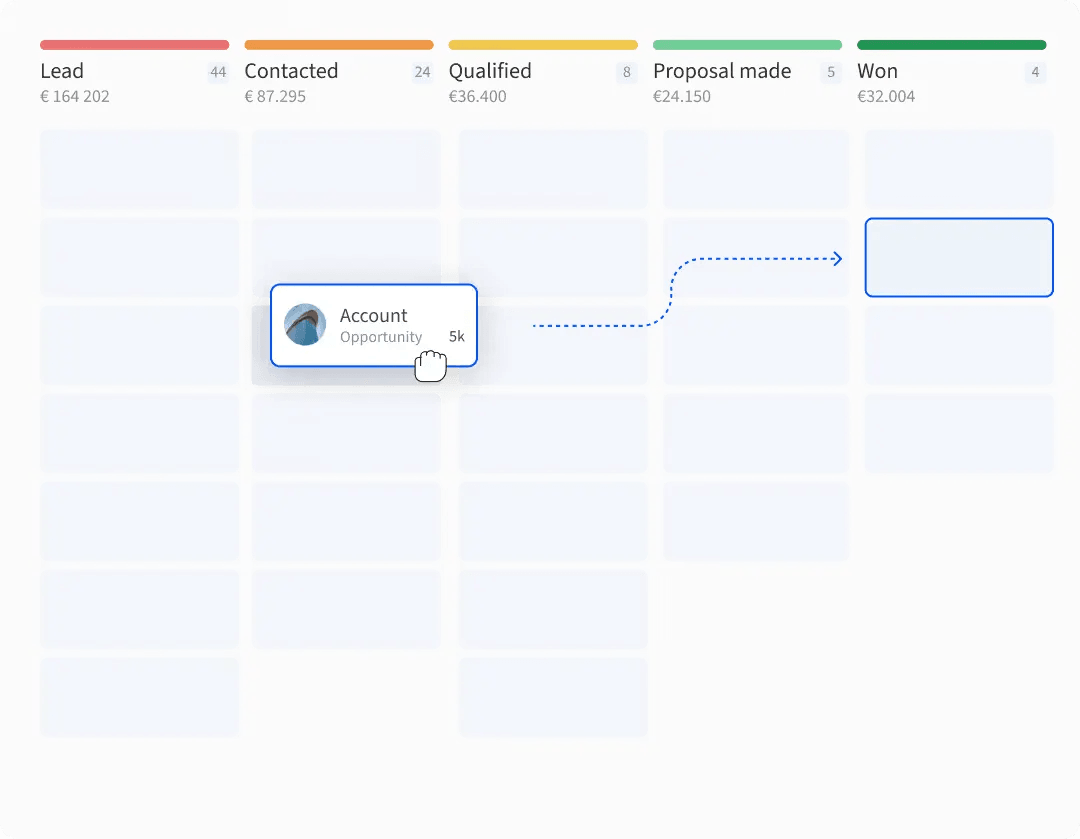
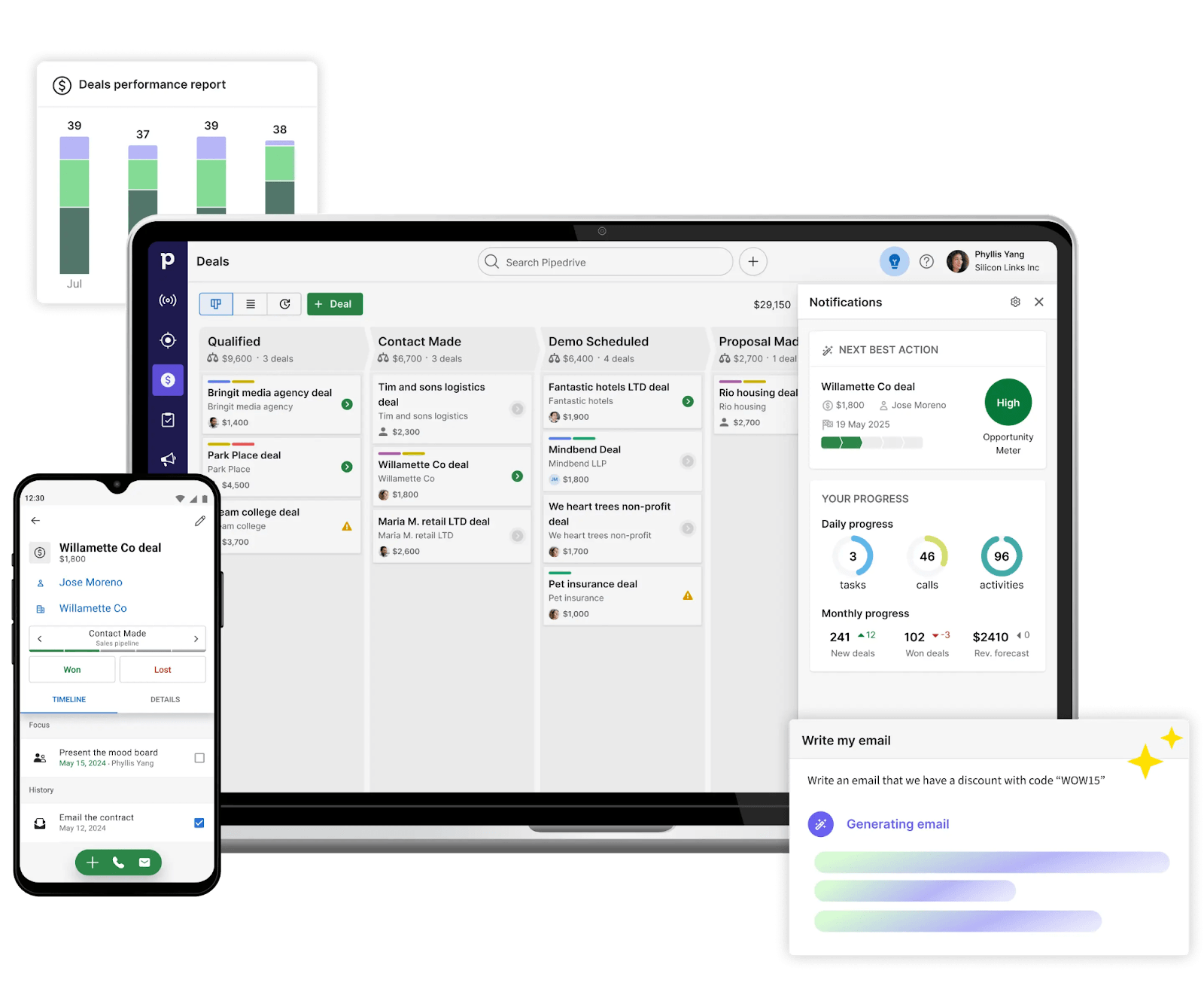
Sales CRM built around kanban-style pipelines and activity tracking.
Key Features
- Visual drag-and-drop sales pipelines
- Strong activity and follow-up tracking with reminders
- Built-in email tracking and AI prompts
- 500+ integrations via marketplace
- Easy onboarding and fast team adoption
Tradeoffs
- Less flexible data modeling than schema-free CRMs
- Advanced customization and reporting limited compared to enterprise tools
- Costs add up as teams grow and unlock higher-tier features
Pricing
Lite $14/seat/month. Growth $39/seat/month. Premium $59/seat/month. Ultimate $79/seat/month.
Best for
Teams prioritizing clarity and structure over flexibility.
Bottom line
Well-defined sales framework out of the box. Deals move through clearly defined stages.
6. Affinity — Best for: VC, PE, and corporate development teams
What it is
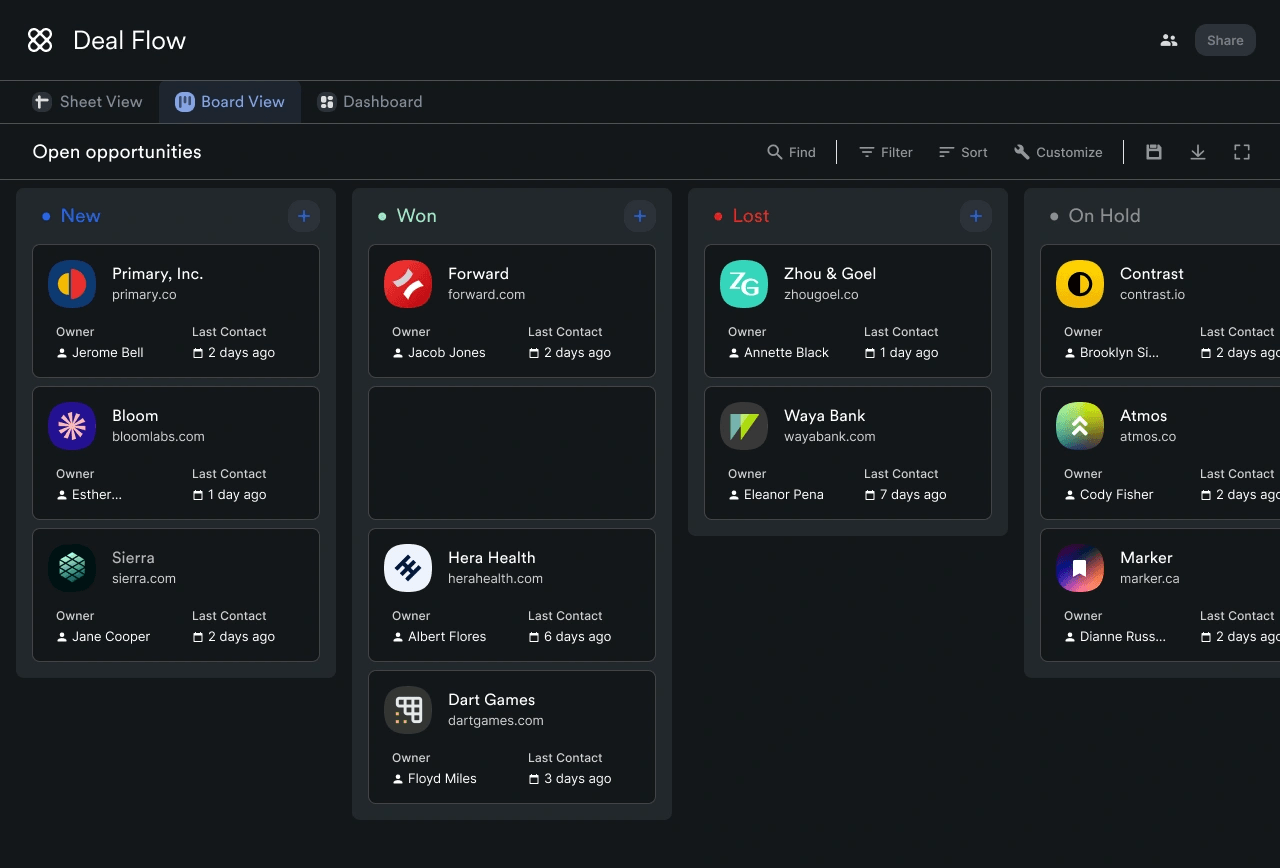
Relationship intelligence CRM for investment firms tracking deal flow across large networks.
Key Features
- Automatic capture of emails, meetings, and interactions across the firm
- Relationship intelligence measuring connection strength and recency
- Deal flow management tailored to investment workflows
- Data enrichment from private market sources
- Strong adoption across teams without manual data entry
Tradeoffs
- Expensive compared to general-purpose CRMs
- Limited customization relative to schema-flexible tools
- Collaboration and note-taking can feel dated
- Fewer native integrations outside private capital workflows
- Not suitable for sales-led or SMB use cases
Pricing
Essential from $2,000/user/year. Scale from $2,300/user/year. Advanced from $2,700/user/year. Enterprise custom.
Best for
Private capital environments where relationship history and network coverage matter more than custom data models.
Bottom line
Specialized for investment workflows. Not a general-purpose CRM.
7. HubSpot (Free/Starter) — Best for: Teams wanting structure and a proven upgrade path
What it is
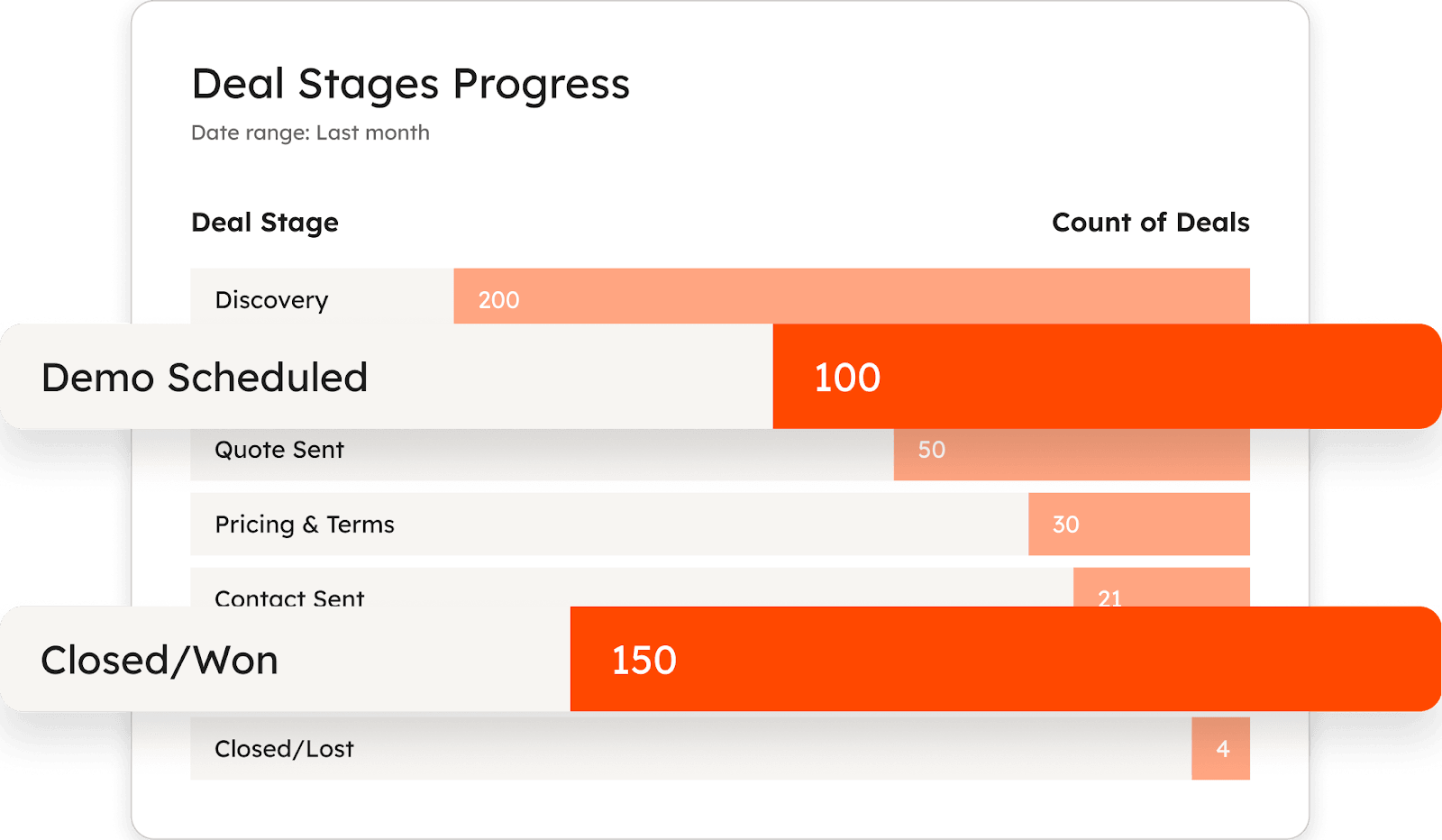
Structured CRM with contacts, companies, deals, pipelines, email tracking, and reporting in one platform.
Key Features
- Free entry point with core CRM features
- Structured deal pipelines and contact management
- Built-in email tracking, forms, and basic automation
- Strong ecosystem with native marketing and support tools
- Extensive documentation and onboarding resources
Tradeoffs
- Customization limited without moving upmarket
- Automation and reporting gated behind higher tiers
- Can feel rigid compared to modern flexible CRMs
- Costs increase quickly as usage expands
Pricing
Free CRM at $0. Professional from $800/month. Enterprise from $3,600/month.
Best for
Teams new to CRMs who want clear rules, predefined workflows, and less ambiguity around setup.
Bottom line
Defines how a CRM should work and asks teams to follow that model.
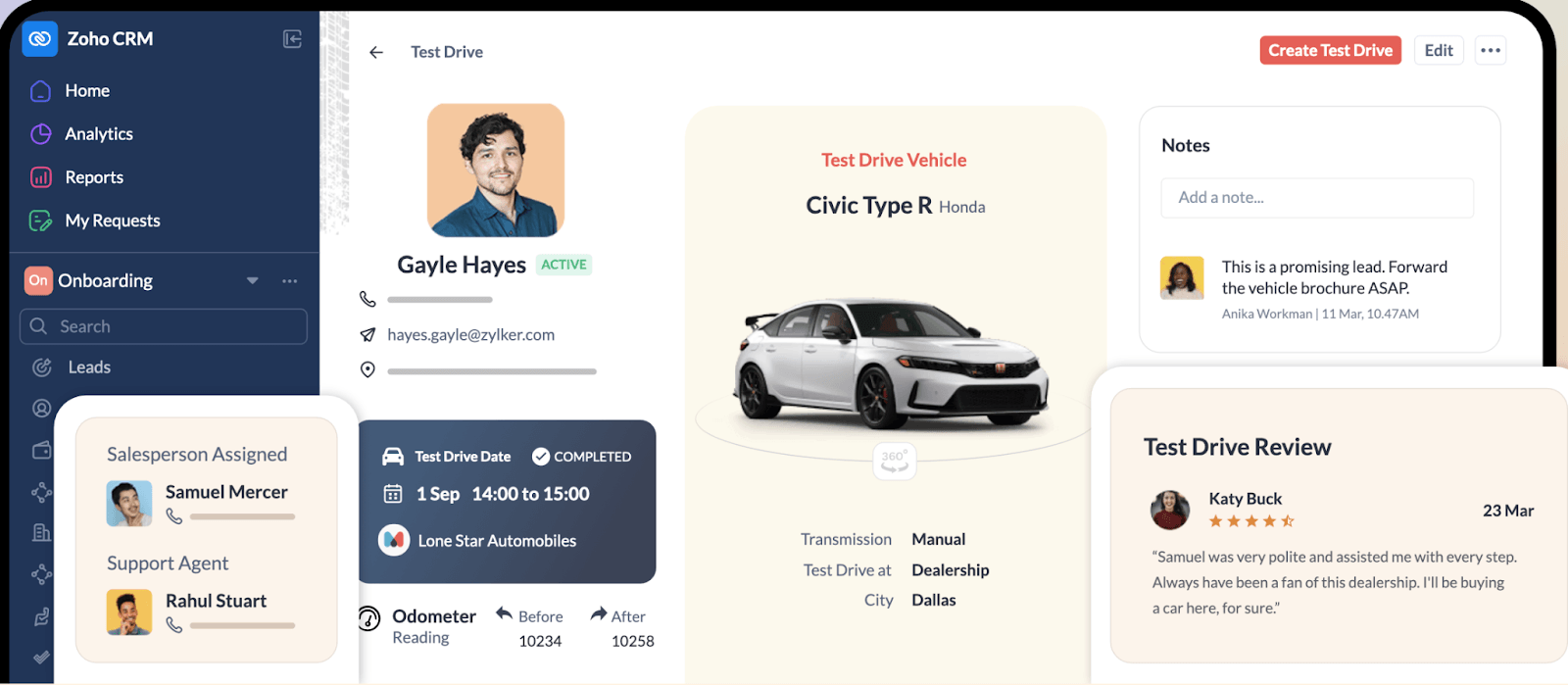
8. Zoho CRM — Best for: Budget-conscious teams needing breadth
What it is
Feature-rich CRM covering sales, marketing, and operations with deep Zoho ecosystem integration.
Key Features
- Broad feature set covering sales, marketing, and operations
- Strong customization options across modules, workflows, and layouts
- Built-in automation and Zia AI for forecasting and recommendations
- Tight integration with wider Zoho product ecosystem
- Competitive pricing compared to enterprise CRMs
Tradeoffs
- Interface can feel overwhelming for new users
- Steeper learning curve compared to lightweight CRMs
- Performance and reporting can feel inconsistent at scale
- Limited native integrations outside Zoho ecosystem
- Support quality varies for complex integrations
Pricing
Free for up to 3 users. Standard $14/user/month. Professional $23/user/month. Enterprise $40/user/month. Ultimate $52/user/month.
Best for
Teams that want everything included out of the box and are willing to trade simplicity for capability.
Bottom line
Power and flexibility at a lower price point. Setup investment required.
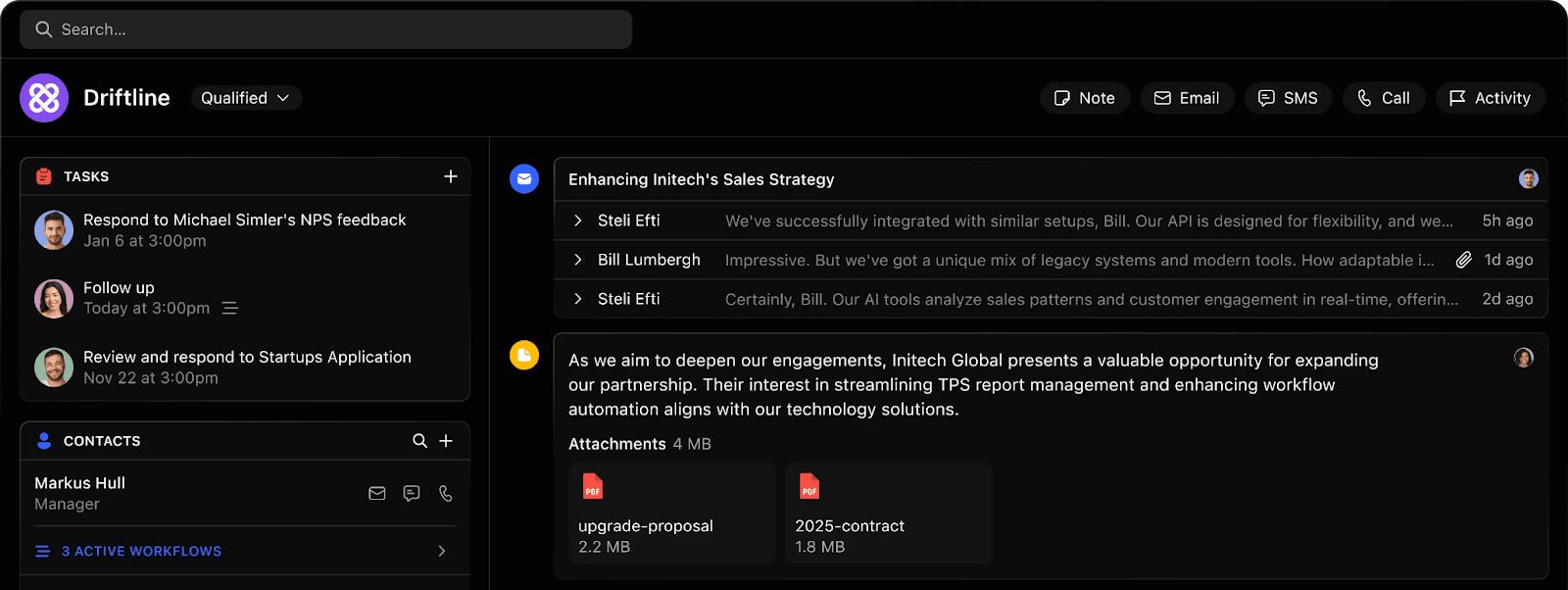
9. Close — Best for: Outbound-heavy teams living in calls, email, and SMS
What it is
CRM with built-in calling, email, and SMS where communication happens inside the system.
Key Features
- Built-in calling, email sync, and SMS in one place
- Smart Views and filters to prioritize outreach
- Sequences, templates, and automation for follow-ups
- Quick setup and easy onboarding
- Fast interface that stays uncluttered
Tradeoffs
- Reporting is a common limitation for deeper customization
- Filters and Smart Views can feel rigid
- Admin controls and permissions less flexible than expected
- Scheduling workflows may require integrations
Pricing
Essentials $35/seat/month. Growth $99/seat/month. Scale $139/seat/month.
Best for
Teams that want the CRM to drive action, not just store relationships.
Bottom line
Communication and follow-up mechanics at the center. Built to keep reps selling.
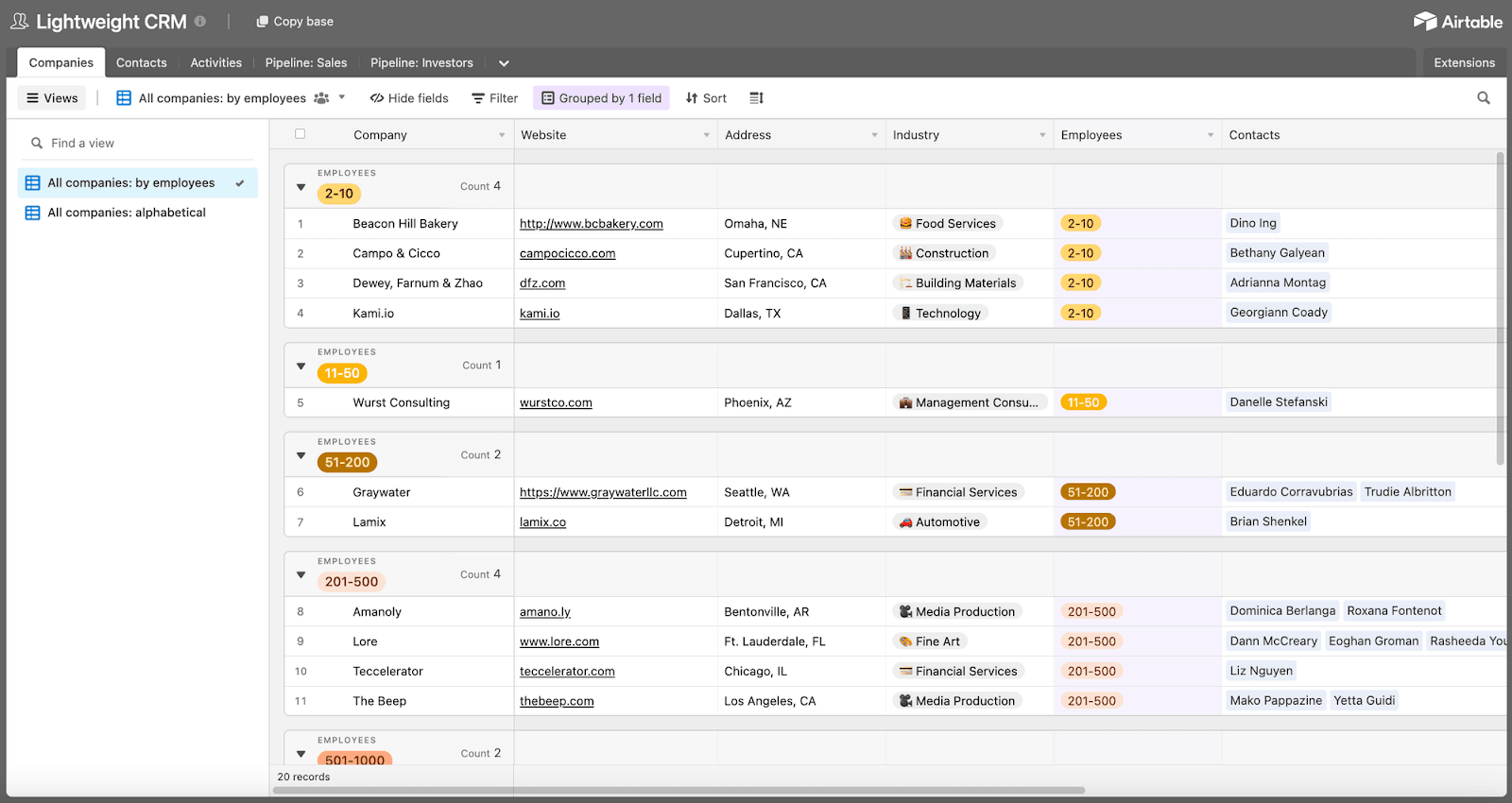
10. Airtable (CRM-style setup) — Best for: Ops-heavy teams building custom systems
What it is
Flexible database that teams use to build CRM-like workflows from scratch.
Key Features
- Fully customizable data models and relationships
- Spreadsheet-style interface with database power
- Flexible views, filters, and automations
- Strong ecosystem of integrations and extensions
- Suitable for non-sales CRM use cases (ops, partnerships, projects)
Tradeoffs
- No native CRM intelligence or relationship modeling
- Requires manual setup and ongoing maintenance
- Automation and data hygiene depend on how well the system is built
- Not optimized for sales activity, follow-ups, or conversations
- Scales poorly without dedicated ops ownership
Pricing
Free at $0. Team $20/seat/month. Business $45/seat/month. Enterprise custom.
Best for
Teams that feel constrained by CRM assumptions and want to model non-standard workflows.
Bottom line
Blank canvas. Full control, full responsibility.
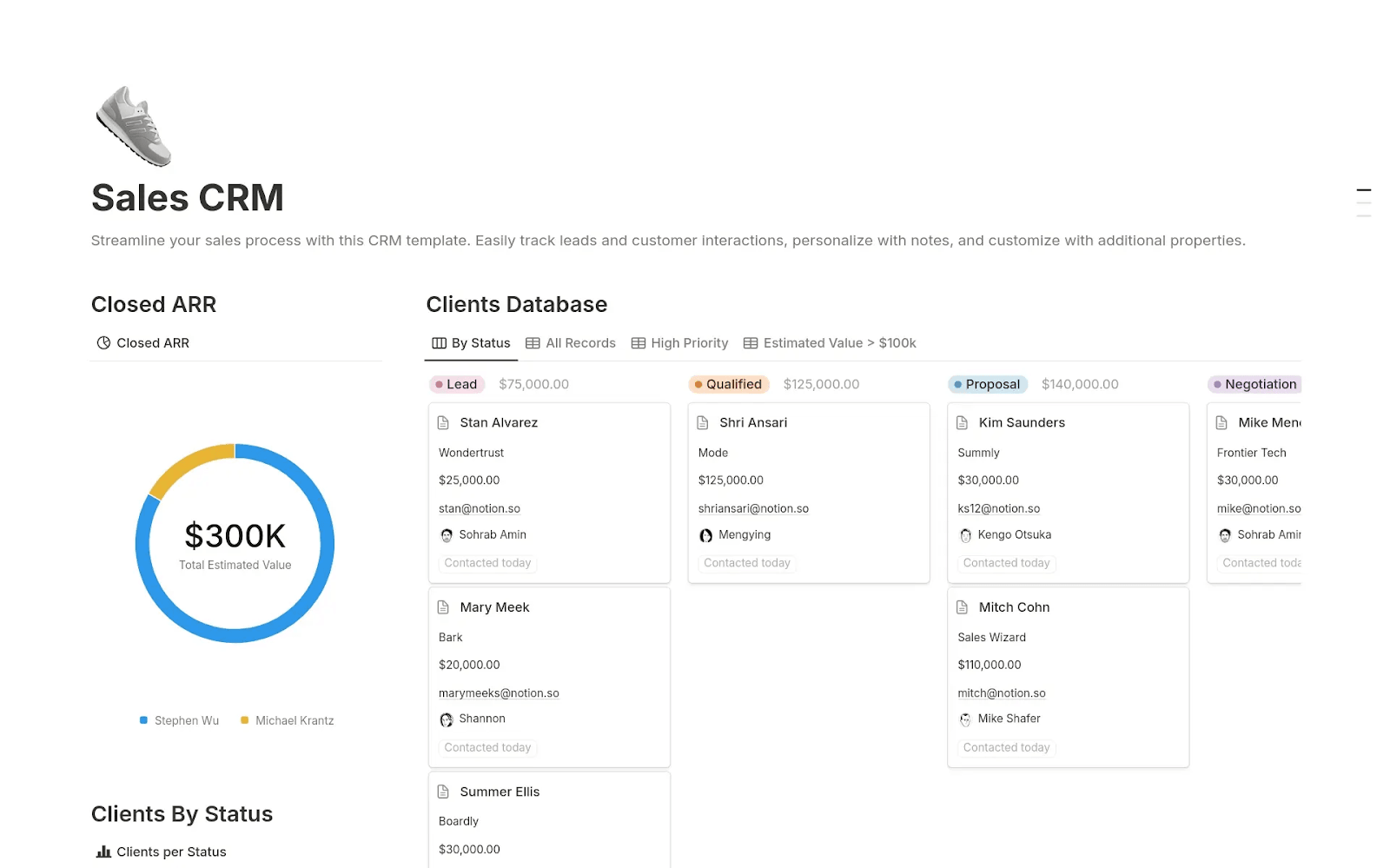
11. Notion (CRM templates) — Best for: Very early founders or solo operators
What it is
Flexible workspace with custom templates for tracking contacts, deals, and pipelines.
Key Features
- Fully customizable with no rigid schema constraints
- Familiar interface for teams already using Notion
- Lightweight with no CRM license or steep learning curve
- Linked databases can model pipelines, tasks, and contacts
- Templates available for various CRM use cases
Tradeoffs
- No native activity capture or CRM automation
- Manual updates required for emails, calls, meetings
- No built-in pipelines, reminders, or automation without custom work
- Lacks reporting, analytics, and activity tracking
- Templates vary in quality; building a robust system requires ops effort
Pricing
Free at $0. Plus $10/member/month. Business $20/member/month. Enterprise custom.
Best for
Teams that want maximum control with minimal tooling overhead.
Bottom line
Workspace first, CRM second. Works until sales activity scales.
Choosing the Right Attio Alternative
The right Attio alternative depends less on features and more on how much responsibility you want your CRM to carry.
If you enjoy designing data models and workflows, Attio or Airtable can be a good fit. If you want a lightweight relationship tracker, Folk or Notion may be enough.
If you run outbound-heavy sales, Breakcold or Close will keep momentum high.
If you're a founder or sales leader who wants access to the most powerful AI agent in your CRM, Lightfield captures emails, meetings, and calls to develop a complete understanding of your business and automate work. All without you managing workflows, schemas, or CRM hygiene.